

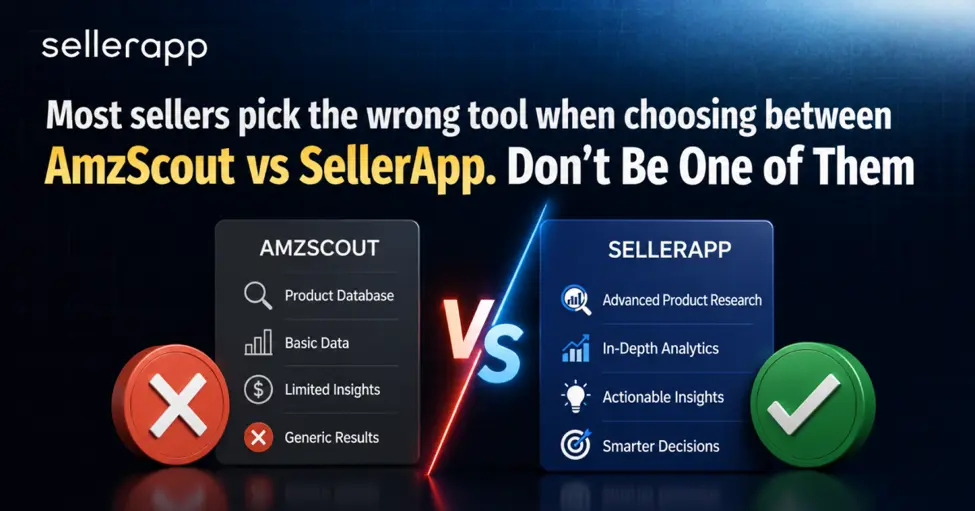
If you’re deciding between AMZScout vs SellerApp, you’re already asking the right question because these two tools are built for completely different stages of your Amazon journey, and picking the wrong one means paying for features you don’t need yet or missing the ones you actually do.
They’re built for different stages, different pain points, and, in SellerApp’s case, a fundamentally different level of business maturity.
This AMZScout vs SellerApp comparison cuts through the noise. What each tool actually does, who it’s actually for, and which one deserves your money based on where your business stands today.
Quick Guide
AmzScout vs. SellerApp: What is SellerApp?

Here’s where the AMZScout vs SellerApp comparison gets interesting. It’s solving the problem that comes after you’ve launched a product, you’re running ads, and you’re trying to make it all profitable at scale.
SellerApp is an AI-powered advertising intelligence and campaign management platform. Its core value is in the advertising package, and it’s built for sellers who’ve moved past “What should I sell?” and are now asking “Why is my ad spend not converting, and what do I actually do about it?”
The pain points SellerApp is solving real and expensive problems like ad budgets burning on the wrong hours of the day, automation rules that conflict and cancel each other out, negative keywords that never get cleaned up, and campaign performance data that’s a day old by the time you can act on it.
Along with solving the problems new sellers face, the platform also solves the problems that arise when your business is generating real revenue, and your ads are the lever that controls whether that revenue is actually profitable.
The SellerApp platform covers:
Amazon PPC Campaign Management
Full visibility and control across Sponsored Products, Sponsored Brands, and Sponsored Display campaigns. The native ads console shows you what happened. SellerApp shows you what to do about it.
Marketing Stream & Hourly Data
Amazon Marketing Stream pushes performance signals hourly rather than in daily roll-ups. SellerApp ingests this feed, so you can make decisions about what’s actually happening in your account by the hour. Sellers who’ve been optimizing on daily Seller Central data don’t realize how much variance they’re smoothing over until they see an hourly-level breakdown for the first time.
Dayparting
Adjusting ad spend by time of day based on when your customers actually convert, not when you assume they do. SellerApp configures this at the account or individual campaign level, with adjustment intervals ranging from hourly to every three, six, or twelve hours.
Sellers running dayparting on real-time data rather than daily averages report ACoS reductions of 30-45% in low-conversion windows by simply stopping the bleed.
Automation Rules
Condition-based triggers that act on your campaigns automatically, raising bids on high-converting keywords, cutting spend on non-performers, harvesting profitable search terms, and adding negatives when terms drain budget without converting. You set the logic, lookback window, ACoS thresholds, spend caps, and conversion minimums, and the platform runs it. Pre-built templates get you operational quickly; custom logic handles the nuances your account actually has.
Multi-Action Workflows
One condition, multiple actions firing simultaneously. When a search term has burned through budget for 21 days without a conversion, reduce the bid, add it as a negative exact match, and remove it from active targeting all in one workflow. Without this, those are three separate rules that might trigger at different times and work against each other.
Negative Keyword Management
AI continuously scans search term reports, identifies terms bleeding the budget with no returns, and flags them for negation. Campaign-level and ad group-level application, with protected term lists so your branded keywords and strategic placements never get caught in the automation net.
Sellers who run systematic weekly negative keyword hygiene, not annual set-and-forget, consistently see ACoS drop 12–18% from this work alone before a single bid adjustment.
AI Bid Optimization
Set a target ACoS and let the system run thousands of bid adjustments daily across your keywords and targets. It’s doing what a PPC manager would do manually in Seller Central every day, but faster and without the decision fatigue.
Placement-level bid modifiers
Separate controls for top-of-search, product detail pages, and the rest of search are adjusted based on where your conversions are actually coming from. Many sellers leave significant efficiency on the table by ignoring placement bidding entirely.
Amazon Marketing Cloud (AMC) Integration
AMC is Amazon’s advanced analytics layer that answers questions the standard Ads Console can’t.
- How do your Sponsored Products and DSP campaigns interact across the funnel?
- Which customer segments have the highest lifetime value?
- What does the journey from first impression to purchase actually look like?
- SellerApp surfaces AMC data within the platform’s workflow, so you don’t need to run separate SQL queries to get audience-level intelligence.
Listing Quality Index
Audits live listings across titles, bullets, descriptions, and images with specific recommendations. Not a listing writer, but a listing diagnostician. If your listing is live and underconverting, LQI shows you exactly what’s dragging it down.
Profit Dashboard
Connected to real Seller Central data, not estimates. Actual revenue, actual margins, and actual ad spend together in one view. The sellers who don’t know their true margins per ASIN are almost always the same sellers who can’t figure out why profitable-looking products never seem to make them any money.
Inventory Forecasting
Restock alerts based on real sales velocity and seasonal patterns. This ties directly into automation: when stock drops below a set threshold, SellerApp can automatically reduce ad spend to protect sell-through rate and prevent the stockout that kills your ranking.
AmzScout vs. SellerApp: What is AmzScout?
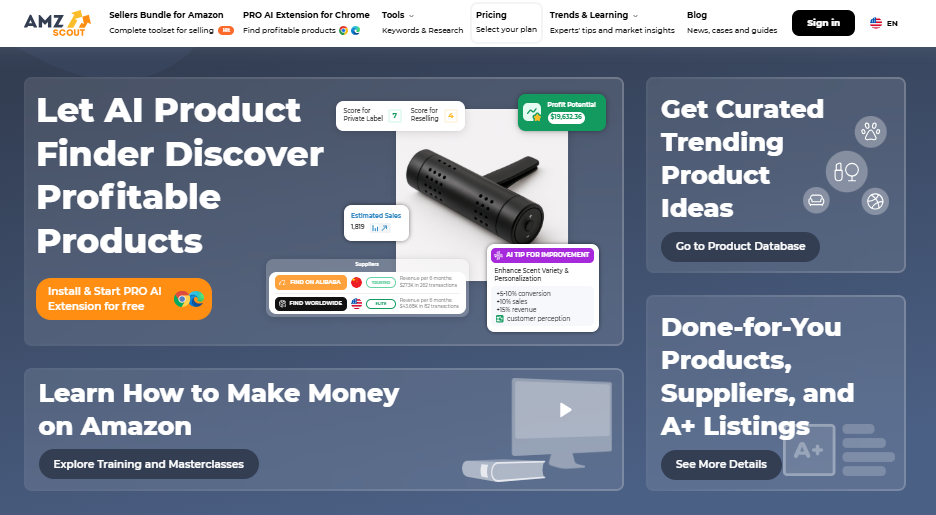
AMZScout is a product research tool that does its job well. If you’re trying to figure out what to sell, whether the demand is real, and whether the numbers make sense before you wire money to a supplier, AMZScout is where you start.
The experience is built around a Chrome extension. You browse Amazon, pull up the PRO AI Extension on any product page, and instantly see estimated monthly sales, competition scores, FBA fees, and profit margins. Their speed and low friction are two of their biggest strengths.
The AMZScout covers the following:
Product Database
550M+ products searchable by sales volume, reviews, competition level, price range, and more. When you don’t have a product idea yet, this is how you find one. Sellers use it to surface categories with real demand before narrowing down to specific products.
Niche Hunter
Identifies categories where demand is consistent but competition hasn’t saturated the space yet. This is one of AMZScout’s more underrated tools. The sellers who spend time here tend to find better opportunities than those just chasing whatever’s trending on social media.
Keyword research and reverse ASIN
Find what keywords competitors rank for and build your listing around what’s actually converting in your category, not what you think buyers search for.
AI Listing Builder
Generates keyword-rich titles, bullet points, and descriptions from a seed keyword list. Useful for getting a first draft off the ground quickly, especially if staring at a blank page is your version of writer’s block.
Stock Stats
Shows competitor inventory levels directly on the Amazon product page. Knowing a competitor has only three weeks of stock is useful intelligence. It tells you when to push harder, when to price more aggressively, and when a market gap might be opening.
AMZScout answers the question, “Should I sell this?” It’s the right tool for that question. But once you’ve launched, the tool largely steps aside. It doesn’t manage your ads, doesn’t show your real margins, and doesn’t help you figure out why your ACoS is eating your lunch. That’s where the next tool comes into play.
What are the different AMZScout vs SellerApp features?
| Feature Area | AMZScout | SellerApp |
| Product Research | Core strength | Available with deep category intelligence via Product Intelligence (estimated orders, sentiment analysis, category trends) |
| Keyword Research | Solid for listing optimization | Integrated with PPC workflow |
| Listing Optimization | AI listing writer | Listing Quality Index (LQI) auditor that scores titles, bullets, descriptions, and images with specific fix recommendations |
| PPC Management | None | Full campaign management |
| Dayparting | – | Hourly, stream-powered |
| Automation Rules | – | Multi-condition, multi-action |
| AI Automation (ML Bid Optimization) | – | Machine learning bid optimization; Aggressive, Balanced, and Conservative modes; continuous learning; adapts to Prime Day and peak events without manual reconfiguration |
| Negative Keyword Mgmt | – | AI-driven, continuous |
| AMC Integration | – | Full-funnel audience analytics |
| Profit Dashboard | Estimates only | Real Seller Central data |
| Inventory Forecasting | – | With automated ad spend controls |
| Ease of Use | Very beginner-friendly | Intuitive once onboarded; dedicated onboarding support, live chat, and account management available |
| Marketplace Support | 12 Amazon marketplaces | Amazon, Walmart, Shopify + more |
The AMZScout vs SellerApp features gap is most significant in advertising. AMZScout has no PPC tools whatsoever, not a soft limitation and not a feature they’re building toward. If ads are any part of your Amazon strategy, you need SellerApp or something equivalent running alongside it.
AMZScout vs SellerApp Pricing Checklist: You must understand before investing
Price is usually the first filter sellers apply, and it’s also the one that misleads the most in this comparison.
The AMZScout vs SellerApp pricing gap looks smaller than it appears on the surface until you understand what each plan actually unlocks.
AMZScout Pricing
AMZScout keeps it simple: one bundle, three payment options, everything included at every level:
| Plan | Cost | Notes |
| Monthly | ~$50–$60/month | Full access, no commitment |
| Annual | ~$380–$400/year (~$33/month) | Best per-month value; includes a 1-on-1 mentor call |
| Lifetime | $1,599.99 one-time | Pays off vs. annual after roughly four years |
No feature gating. No upsells to unlock basic functionality. What you see is what you get. The lifetime plan is genuinely rare in this category and makes real financial sense for sellers who plan to be in this business long-term.
SellerApp Pricing
| Plan | Cost | What’s Actually Included |
| Freemium | Free | Basic keyword and listing tools. No PPC access. |
| Pro Lite | ~$39–$49/month | Keywords, Chrome extension, basic analytics |
| Professional | ~$79–$99/month | Full PPC suite, automation, dayparting, AMC, LQI |
| Enterprise | Custom | Multi-account, API access, advanced reporting |
Annual billing saves 25–50%. Seven-day free trial on paid plans.
The number you actually need to hold onto: the Professional plan is the entry point for SellerApp’s advertising features. The Freemium and Pro Lite plans don’t include PPC tools.
AMZScout vs. SellerApp Pros and Cons
Here’s the honest list of pros and cons for AMZScout vs. SellerApp. The AMZScout vs SellerApp pros and cons come down to one difference: AMZScout is optimized for the research phase; SellerApp is optimized for what happens after you launch.
AMZScout
What works:
- Product research is fast, intuitive, and genuinely useful for early-stage sellers
- The single plan includes everything, no feature-unlocking games
- A lifetime plan is a real differentiator in a subscription-heavy category
- Chrome extension is one of the cleanest on the market
- Stock Stats and Quick View offer competitive intel that more expensive tools skip
- Beginner-friendly in a way most tools fail at
- Strong user ratings, 4.8/5 on Trustpilot
What doesn’t:
- Zero advertising capability. Running ads without a dedicated tool is flying blind
- Analytics are estimates, not real Seller Central data
- A feature ceiling arrives quickly once you’re past the research phase
- AI features are still maturing, with some inconsistencies in generated outputs
SellerApp
What works:
- The advertising suite is the strongest in its price range; dayparting on real stream data is categorically different from tools guessing at timing
- Continuous AI-powered negative keyword management prevents budget bleed systematically
- AMC integration gives sellers visibility that their competitors on native tools simply don’t have
- The profit dashboard shows real numbers; no more margin surprises at month-end
- Keyword research feeds directly into campaign management without leaving the platform
- Multi-marketplace and multi-account support for sellers operating at scale
- Multi-action workflows handle complex automation that basic rule engines can’t match
What doesn’t:
- Full PPC access requires the Professional plan; entry pricing can be misleading.
- Steeper learning curve on automation and campaign architectureAutomation rules need careful setup; conflicting rules on the same targets cancel each other out
- Product research isn’t a primary strength; serious discovery work still calls for a dedicated research tool
- Full AMC capability requires an Amazon DSP account
AMZScout vs SellerApp: Who Should Pick Which?
The AMZScout vs SellerApp decision usually makes itself once you’re honest about where you are:
AMZScout is the right call if:
- You’re in product research mode, validating ideas before committing to inventory
- Advertising isn’t part of your strategy yet
- You’re budget-conscious and need clean research tools without a high monthly commitment
- You want something you can be productive with in the first hour of use
SellerApp is the right call if:
- You’re actively running Amazon ads, and your campaign performance determines whether your business makes money
- You’re spending enough on ads that a meaningful ACoS reduction would cover the subscription cost in its first week
- You manage multiple campaigns, multiple ASINs, or multiple accounts, and need operational control
- You want automation that runs on real hourly data, not smoothed daily average
- AMC-level audience and attribution intelligence are on your plan of action
Here’s the clearest way to think about it. AMZScout gets you to launch. SellerApp makes the launch profitable. They’re two different tools for two different chapters of the same story, and the sellers who treat them as competitors are usually ones who haven’t yet crossed from the research phase into the operational one.
Managed Services: What SellerApp is doing differently from other platforms
SellerApp operates at three distinct levels beyond the self-serve platform: a full-service Amazon PPC managed service, an enterprise-grade solution for large-scale operators, and an API platform that powers other agencies and tools built on top of SellerApp’s platform.
The managed service puts SellerApp’s strategists inside your ad account. They build campaigns, run weekly negative keyword pruning (not set-and-forget annual cleanups), operate dayparting off real marketing stream data, and design multi-action workflows specific to your account structure.
Bids are set around your unit economics, not just chasing an ACoS number that looks good on a report but hides a margin problem underneath it.
Clients typically see 35–50% ACoS reductions in the first 90 days. Around 60% of incoming clients are migrating from other Amazon PPC agencies.
API Access: SellerApp exposes its intelligence layer via API, enabling other agencies and software providers to build on top of its data infrastructure. If you’re an agency running multiple client accounts, this is worth a direct conversation with the team.
Managed Service: SellerApp’s strategists run your campaigns using the same technology as the platform design, such as weekly negative keyword pruning, dayparting off live marketing stream data, and multi-action workflows built to your account structure.
Clients typically see 35–50% ACoS reductions in the first 90 days. Around 60% of incoming clients are migrating from other Amazon PPC agencies. Individual engagements start at $50/month, whereas the curated packages are ~$200/month and up.
Final Thoughts on AMZScout vs SellerApp
The AMZScout vs SellerApp software comparison ultimately isn’t a contest; it’s a timeline. AMZScout belongs at the beginning of your Amazon journey. SellerApp belongs once you’re running and need your operation to perform.
As a standalone research tool, AMZScout is well-built, honestly priced, and does exactly what it says. The lifetime plan offers genuine value for long-term sellers, and the Chrome extension is one of the best on the market for quick, low-friction research.
SellerApp, on the other hand, is the stronger platform for sellers who need their business to actually scale. The advertising depth, dayparting on real-time data, multi-action automation, continuous negative keyword management, and AMC integration aren’t just more features.
It’s a fundamentally different level of control over your most important growth lever. And for sellers where ad spend is already a meaningful line item, that control directly translates into margin.
If you’re early-stage, start with AMZScout, learn the basics, and launch a product. If you’re past that, SellerApp is where serious advertisers live. And if you want the cleanest combination on the market right now, Jungle Scout for research plus SellerApp for advertising, covers the full journey without either tool punching above its weight.
Frequently Asked Questions (FAQs)
Yes. It’s one of the most beginner-friendly Amazon seller tools on the market. The Chrome extension is fast and delivers value within minutes, the interface is clean, and the Learning Center walks you through each feature step by step.
For a new seller trying to validate a product idea without getting overwhelmed, AMZScout is a natural starting point.
It does, and it’s the platform’s defining strength. Full campaign management, dayparting powered by Marketing Stream data, rule-based automation with multi-action workflows, AI bid optimization, systematic negative keyword management, and AMC integration. Full access requires the Professional plan at $79–$99/month.
Dayparting is adjusting your ad spend based on the hours and days your customers actually convert. Most tools that offer dayparting work from daily data and make educated guesses about timing patterns.
SellerApp uses Amazon Marketing Stream and hourly performance signals, so adjustments are based on real conversion data by the hour. That distinction matters when you’re deciding whether to cut the budget at 2 am Tuesday or keep it running.
Yes, and it’s a natural pairing. AMZScout for product research and initial listing keyword work; SellerApp for campaign management and ongoing optimization. The overlap is mostly in keyword research, which you’ll do once at listing setup anyway.
For research-only use, AMZScout costs ~$50/month and includes everything. For advertising management, SellerApp’s Professional plan at $79–$99/month is more expensive but solves a different, usually more expensive problem. The freemium comparison is misleading because the free plan excludes all PPC tools.
Multi-action workflows let a single rule condition trigger multiple actions simultaneously. For example, when a search term has spent through the budget for 21 days without converting, reduce the bid, add it as a negative exact match, and remove it from active targeting, all at once. Without this, those are three separate rules that may conflict or fire at different times.
None. AMZScout is a product research tool. If ads are part of your Amazon strategy, you need a dedicated advertising platform alongside it.
The platform is a self-serve SaaS tool; you run your campaigns using their automation and analytics. The managed service is an agency; its strategists run your campaigns using the same technology. They’re separate products at separate price points. Evaluate the managed service against other Amazon PPC agencies, not against AMZScout.