


So, you’ve just sold your Amazon FBA business for a number that makes you check your bank account twice. That’s awesome. However, now you’re facing the question every seller asks: “Can I transfer my Amazon seller account to someone else?”
Unfortunately, the answer is way more nuanced than Amazon’s policy makes it sound.
Thousands of sellers successfully complete Amazon seller account transfers every year. But the ones who struggle usually didn’t understand one critical thing: you’re not actually transferring an account. You’re transferring a business that happens to own an account.
It’s like those mattress tags threatening legal consequences if you remove them. Technically restricted, but with proper documentation and legitimate business reasons, completely manageable. Just maybe don’t try the mattress tag defense if your transfer goes sideways.
“Most sellers think the transfer process is where deals die. Actually, it’s the lack of preparation before listing that creates problems. We’ve seen million-dollar deals nearly collapse because sellers didn’t have proper documentation ready.” – Dilip Vaman, Co-Founder of SellerApp
Here’s what nobody explains clearly. When you ask “how to transfer Amazon seller account to another person,” the real answer depends entirely on your business structure. Selling your LLC or corporation that owns the account? That’s legitimate business succession. Trying to hand over your sole proprietor account to a stranger? That’s where Amazon draws hard lines.
This guide walks through exactly how to transfer ownership of Amazon seller account in 2026, including the parts that keep sellers awake at night and the mistakes that cost real money.
TL;DR: Quick Answers for Busy Sellers
Can I transfer my Amazon seller account? Not directly, but you can transfer ownership when selling your business entity. Amazon’s policy says seller accounts “generally” aren’t transferable, but legitimate business sales follow different rules.
Essential Checklist:
- Notify Amazon in writing before any changes (critical step)
- Update account details in sequence: users → email → phone → banking → tax docs
- Transfer Brand Registry separately (30-60 day trademark timeline)
- Handle inventory based on sale type (entity vs asset sale)
- Use escrow services for payment protection
- Plan 14-30 day evaluation period minimum
- Maintain same IP address during updates
- Use branded email domain (not Gmail/Outlook)
- Document everything with paper trails
2026 Market Reality:
- FBA businesses selling at 2.5x to 4.5x annual profit (averaging 3.3x)
- Brand Registry adds 0.5x-1.0x to valuation
- Account suspensions destroy deal value immediately
- Related account violations kill more transfers than anything else
Two paths forward: Entity sale (clean) or asset sale (complex). Read on for which applies to you.
Understanding Amazon Seller Account Transfer Policies (What Amazon Actually Means)
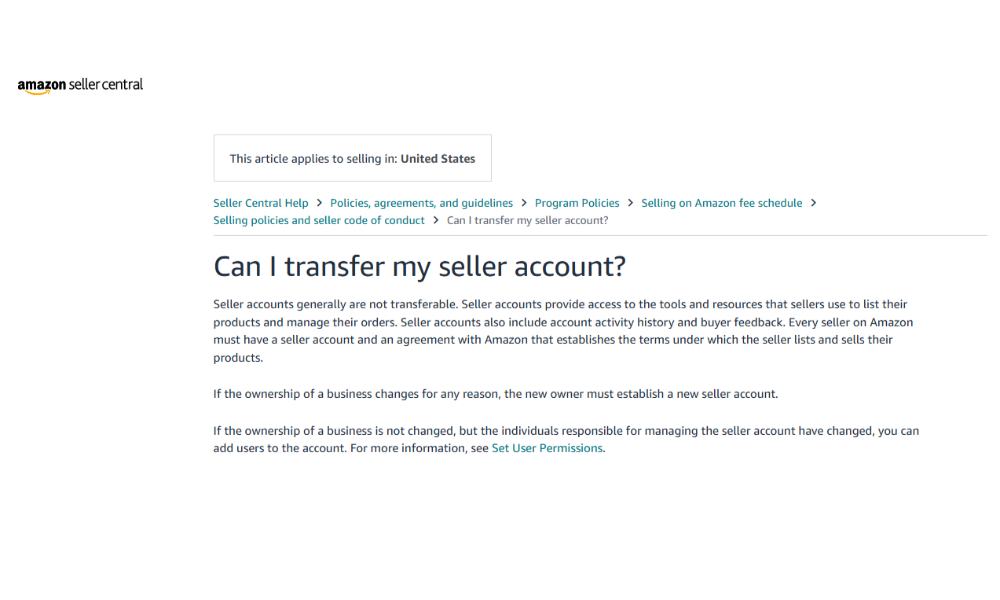
Amazon’s official stance reads like legal boilerplate: “Seller accounts generally are not transferable.” That word “generally” does more work than a caffeinated intern during Q4.
What Amazon means is you can’t sell your Amazon seller account like you’re offloading last season’s inventory. But when you sell your entire business as a legal entity, different rules apply.
The Critical Distinction:
When sellers ask “can I transfer my Amazon seller account” they’re usually thinking about it wrong. You don’t transfer the account itself. You transfer the business entity that owns the account. The account just happens to come along as part of that business.
Think about Disney’s acquisition of Star Wars. They didn’t transfer ownership of every individual Millennium Falcon toy and Darth Vader costume. They bought Lucasfilm, and everything Lucasfilm owned transferred automatically. Your Amazon seller account transfer works the same way.
Why This Matters for Your Exit:
Your business structure determines your entire transfer Amazon seller account strategy:
- LLC or Corporation: Entity sale possible, cleaner transfer process
- Sole Proprietor: Asset sale required, more complex migration
Many sellers who set up as sole proprietors under personal names and SSNs learn expensive lessons about entity structure when trying to sell. The ones who formed LLCs from day one? Their exits run smoother than a perfectly optimized listing.
What Actually Transfers (And What Doesn’t):
When you complete an Amazon seller account transfer:
What Comes With The Business:
- Active product listings and ASINs
- Sales history and performance metrics
- Brand Registry enrollment (with proper documentation)
- Inventory at FBA warehouses (entity sale only)
- Supplier relationships and contacts
- Advertising campaign data and structure
What Stays Behind:
- Your personal login credentials initially (updated during transfer)
- Account feedback tied to the original entity (in asset sales)
- Your personal tax identification numbers
- Your personal banking information
The question “Can I transfer my Amazon seller account to someone else?” has one answer for entity sales and a completely different answer for asset sales. Let’s break down both paths.
How to Transfer Amazon Seller Account Ownership (Two Primary Methods)
Most guides oversimplify this into one generic process. Reality has more paperwork and nuance. You’ve got two fundamentally different approaches when figuring out how to transfer Amazon seller account to another person.
Method One: Entity Sale (The Path Amazon Prefers)
This is what experienced sellers with proper legal structure do. You sell the actual company that owns your Amazon seller account. The buyer purchases your LLC or corporation, complete with everything the entity owns.
Why Entity Sales Work:
From Amazon’s perspective, nothing actually changed. Same business entity, same EIN number in their system, same legal structure. The only difference? Who owns the shares of your company? Amazon doesn’t particularly care who owns shares. They care about maintaining the integrity of the entity they have agreements.
The Entity Sale Process:
When sellers successfully transfer ownership of Amazon seller account through an entity sale:
- Sale Agreement: You and buyer sign stock purchase agreement (corporations) or membership interest purchase agreement (LLCs)
- Ownership Transfer: Buyer takes control of your company, including all assets and liabilities
- Amazon Notification: You inform Amazon that business ownership changed
- Account Updates: Update banking, contacts, and authorized users while maintaining same EIN
- Verification: Amazon verifies new ownership through documentation
The beauty of this approach? Your reviews stay put. Amazon Product listings don’t budge. Brand Registry remains untouched. Everything continues as before, just with new ownership.
Entity Sale Requirements:
For this Amazon account transfer method to work:
- Business must be structured as LLC or corporation
- Entity must be in good standing with state
- All business licenses and permits must be current
- Financial records must clearly show entity ownership of assets
- Trademark registrations must match entity name
The Catch:
This only works if you established your business as a separate legal entity. Operating as sole proprietor under your personal name? You’re stuck with method two.
Real Client Scenario: Daniel’s Kitchen Appliances Brand Entity Sale
Daniel approached us with a common situation. He’d built a $2.3M annual revenue kitchen appliances brand over four years but wasn’t sure how to transfer Amazon seller account without losing his reviews.
His Starting Position:
- LLC established 2021 with proper business structure
- 6 products enrolled in Brand Registry
- 4,247 total reviews across listings
- Clean account health (zero suspensions)
- Aggregator buyer wanted 45-day completion
The Transfer Process We Implemented:
Week 1: Sent formal notification to Amazon Seller Support about ownership change. Used specific language about “legal entity ownership update” rather than “account transfer.” Amazon responded with process documentation within 48 hours.
Week 2: Added buyer’s team as admin users before removing Daniel. This created continuity without triggering fraud detection systems. Both Daniel and buyer maintained access during transition.
Week 3: Updated primary email from Daniel’s Gmail to branded domain email (support@brandname.com). This avoided the “email already associated with another account” problem that kills many transfers.
Week 4: Changed banking details, tax information (new W-9 with buyer’s EIN), and phone number. Timed this update 6 days before scheduled payment to avoid the dreaded 48-hour account hold.
Week 5: Initiated Brand Registry transfer separately. Added buyer as Administrator and Rights Owner in Brand Registry portal. Simultaneously began trademark transfer at USPTO (30-day processing).
Week 6-7: Evaluation period where buyer verified everything Daniel represented was accurate. No surprises surfaced. Account performance remained stable.
Result: Complete transfer Amazon seller account to another person without losing reviews, rankings, or amazon account health. Daniel received full payment. Buyer got functioning business with intact assets.
“Daniel’s exit worked smoothly because he structured his business correctly from day one. When you set things up right from the start, selling later becomes almost boring. That’s exactly what you want.” – Guy Francis, Founder
Why This Worked:
The LLC structure allowed clean entity transfer. Amazon never saw this as an “Amazon seller account transfer” violation because the legal entity maintaining the seller agreement never changed. Only the ownership of that entity changed.
Method Two: Asset Sale and Migration (The Complex Route)
When you can’t sell the entity, you’re moving individual pieces. The buyer creates their own seller account, and you migrate everything asset by asset. It’s like moving to a new house instead of selling the house you’re in.
Why Asset Sales Are Riskier:
You’re essentially starting fresh with a new account. Reviews and ratings stay with original listings, but the new account must build its own seller performance history from scratch. The perfect account health, on-time delivery rate, and order defect rate? Those start over at zero.
How Asset Sales Actually Work:
When figuring out how to transfer ownership of Amazon seller account through asset sale:
- New Account Creation: Buyer establishes brand new Seller Central account (or gets approval to open second account if they already sell)
- Asset Identification: Document every component being transferred (listings, inventory, Brand Registry, supplier relationships)
- Brand Registry Migration: Buyer creates own Brand Registry enrollment, you add them as Administrator/Rights Owner
- Inventory Transfer: Physical movement of products from your FBA to buyer’s FBA (or sell through while buyer stocks separately)
- Listing Recreation: Buyer recreates product listings under their account with identical content and optimization
- Supplier Transition: Formal introduction and documentation transfer to suppliers
- Knowledge Transfer: SOPs, advertising strategies, customer service protocols
Think of it as rebuilding the ship plank by plank while keeping it afloat. Doable, but requires serious coordination.
Real Client Scenario: Jennifer’s Supplement Line Asset Sale
Jennifer’s situation illustrates when asset sales make sense. She ran a health and wellness business with two product lines: supplements and fitness equipment. She wanted to sell supplements while keeping fitness equipment.
Her Challenge:
- Needed to keep existing account for fitness equipment business
- Couldn’t do entity sale (not selling entire company)
- Buyer was relatively new to Amazon FBA
- 3 supplement products with established sales velocity
- Wanted minimal sales disruption during transfer
Our Asset Sale Implementation:
Phase 1: Buyer Account Setup (Weeks 1-2)
Buyer created new seller account with completely separate credentials (email, bank, phone, address). We helped request Amazon approval for second account, clearly explaining acquisition scenario. Amazon approved within 5 business days.
This step addresses the common question “can I transfer my Amazon seller account to someone else” – technically no, but buyer can establish new account for acquired assets with proper approval.
Phase 2: Brand Registry Establishment (Weeks 3-4)
Buyer enrolled their business in Brand Registry independently. Jennifer added buyer’s account as Administrator and Rights Owner for supplement brand while retaining access to fitness equipment brand. This split brand management is how to transfer ownership of Amazon seller account for partial business sales.
Phase 3: Inventory Coordination (Weeks 4-8)
Jennifer had 6 weeks of supplement inventory at FBA. Rather than expensive removal:
- Jennifer continued selling existing inventory
- Buyer simultaneously ordered fresh inventory from suppliers under their name
- Buyer’s inventory arrived at FBA week 7
- Jennifer’s inventory depleted week 8
- Only 4-day sales gap between accounts
Phase 4: Listing Migration (Weeks 5-6)
Jennifer couldn’t transfer actual listings to buyer’s account (listings stay with original account). Buyer recreated listings with identical:
- Product titles and descriptions
- Backend search terms and keywords
- A+ Content and Enhanced Brand Content
- Product images and videos
Reviews stayed with Jennifer’s old listings, but buyer’s new listings had strong Brand Registry foundation and supplier documentation.
Phase 5: Supplier Transition (Weeks 6-7)
Jennifer personally introduced buyer to supplement suppliers. Provided purchase history, quality control protocols, and negotiated pricing terms. Buyer established accounts in their business name, receiving fresh invoices critical for Amazon’s authenticity verification requests.
Result:
Asset sale took 8 weeks versus 4-5 weeks for entity sales. Some sales disruption occurred during account transition. But Jennifer kept her main fitness equipment business running. Buyer acquired functioning supplement operation.
The Tradeoff:
Buyer couldn’t keep Jennifer’s product reviews (reviews stay with original seller’s listings). But Brand Registry access, supplier relationships, and operational knowledge transferred cleanly. They had legitimate foundation to build new review base.
This scenario demonstrates how to transfer Amazon seller account to another person when you can’t do full entity sale. It’s messier, takes longer, but works for partial business exits.
Step-by-Step: How to Transfer Amazon Seller Account (Entity Sale Process)
Let’s get specific about entity sales since that’s the preferred method when your business structure allows it. This is the exact process sellers use right now to successfully transfer Amazon seller account without triggering suspensions.
Step One: Notify Amazon Before Changing Anything
This is where many transfers start falling apart. Sellers think they can quietly swap banking details and Amazon won’t notice. Amazon always notices. Their fraud detection algorithms are specifically built to catch this pattern.
The professional approach: send Amazon detailed message through Seller Support explaining what’s happening before you change a single field.
Message Template for Amazon Seller Account Transfer:
“Subject: Legal Entity Ownership Change – Business Sale Transaction
Dear Amazon Seller Support,
We are updating our legal entity ownership information due to a business sale. This legitimate transaction requires changes to:
• Primary account email address
• Account verification phone number
• Banking and payment information
• Tax identification details (EIN/Tax ID)
• Authorized user permissions
• Business registration address
All supporting documentation will be provided to verify this business transfer. Please advise if additional information is needed to facilitate this ownership update.
Current Account ID: [Your Seller ID] Current Legal Entity: [Your LLC/Corp Name] New Legal Entity: [Buyer’s LLC/Corp Name] New Tax ID: [Buyer’s EIN]
Thank you for your assistance with this Amazon seller account transfer.”
What This Communication Accomplishes:
You’re not asking permission (Amazon rarely grants formal “permission” for transfers). You’re informing them about a legitimate business event while creating paper trail. If something goes wrong later, you have proof you communicated upfront about this Amazon account transfer.
Some sellers worry Amazon will deny the request. Here’s what typically happens: Amazon sends generic response acknowledging your message and providing instructions for updating account information. They rarely block legitimate business transfers outright. What they absolutely hate? Surprise changes that look like Amazon account hijacking.
Critical Timing:
Send this notification after your sale agreement is signed but before you start making account changes. You don’t want to notify Amazon then have the deal collapse – that creates confusion and potentially flags your account for review.
If Buyer Already Operates Amazon Account:
They need to inform Amazon they’re establishing second account for this acquisition. Amazon’s multiple account policy is strict, but legitimate acquisitions are explicitly allowed when properly disclosed.
This addresses a common search: “how to transfer Amazon seller account” requires buyer preparation too, not just seller actions.
Step Two: Update Account Details in Correct Sequence
Once Amazon acknowledges your notification about this Amazon seller account transfer, begin updating information. The sequence matters because certain changes trigger security reviews while others don’t.
The Working Sequence for Transfer Amazon Seller Account:
First: User Permissions
Add buyer as admin user before removing yourself. This prevents the “nobody has access” disaster. In the chaos of closing, sellers have actually locked themselves out by removing their access before adding buyer.
Process:
- Seller Central > Settings > User Permissions
- Add buyer’s email with full admin rights
- Buyer accepts invitation and verifies access
- Only then remove or downgrade seller’s access
Second: Primary Email Address
This is trickier than it seems when you transfer Amazon seller account to another person. If buyer uses Gmail or Outlook address associated with their buyer account or another seller account, you’re likely triggering related account violation.
Safest approach for Amazon account transfer:
- Create brand-specific domain email before transfer
- Examples: hello@yourbrandname.com, support@yourbrandname.com
- Generic email providers get flagged for multiple account associations
- Custom domains signal legitimate business operations
Third: Phone Number
Change to buyer’s business phone. Critical detail: if buyer’s phone is already associated with another Amazon account (especially suspended one), your newly transferred account gets flagged.
Best practice for transfer ownership of Amazon seller account:
- Buyer uses new business line specifically for this account
- Google Voice numbers work but sometimes raise flags
- Business VOIP lines through RingCentral or Nextiva safer
- Never use phone number from suspended accounts
Fourth: Banking Information
Timing consideration for Amazon seller account transfer: Amazon places 48-hour hold on accounts when banking details change near scheduled payments.
Smart timing:
- Update bank information 3-5 days before next disbursement
- Check payment schedule (Settings > Account Info > Payment)
- Use buyer’s business bank account (not personal)
- Verify account name matches business entity exactly
Fifth: Tax Documentation
Final step because it requires most paperwork to complete Amazon seller account transfer:
US Sellers:
- Submit new W-9 with buyer’s EIN
- Settings > Tax Settings > Tax Interview
- Complete full interview with buyer’s information
- Amazon won’t process payouts without updated tax docs
International Sellers:
- Submit new W-8BEN form
- Provide updated business registration
- Verify tax treaty benefits if applicable
The IP Address Issue:
When figuring out how to transfer Amazon seller account, everyone forgets this: use same IP address you normally use when making changes. If account accessed from California for three years suddenly logs in from New York while changing everything, Amazon’s security interprets that as hack attempt.
Solutions for Amazon account transfer when buyer is different location:
- Make changes gradually over several days from seller’s usual IP
- Have buyer access account alongside seller during transition (creates multi-location pattern)
- Consider temporary VPN to seller’s location (though this is risky territory)
Step Three: Brand Registry Transfer Process
If brands are enrolled in Amazon Brand Registry, transferring them requires separate process that operates independently from your Amazon seller account transfer.
Brand Registry Transfer for Amazon Account Transfer:
- Add Buyer as Brand Registry User
- Go to brandregistry.Amazon.com
- Select brand being transferred
- User Management > Add User
- Enter buyer’s Seller Central email
- Assign both “Administrator” AND “Rights Owner” roles
- Buyer Accepts Invitation
- Buyer receives email invitation
- Accepts and verifies full Brand Registry access
- Tests ability to edit brand information
- Remove Seller After Confirmation
- Edit seller’s user permissions
- Remove Administrator and Rights Owner roles
- Brand now exclusively controlled by buyer
Critical Trademark Consideration:
When learning how to transfer ownership of Amazon seller account, many sellers miss this: you need to transfer trademark registration at USPTO either before or simultaneously with Brand Registry transfer.
Amazon verifies trademark ownership. If buyer isn’t listed as trademark owner on USPTO records, Amazon can reject Brand Registry transfer or remove brand entirely.
USPTO Trademark Transfer Timeline:
- File trademark assignment with USPTO
- Processing time: 30-60 days typically
- Assignment becomes public record
- Update Brand Registry after USPTO processes
Many deals structure payment around this when they transfer Amazon seller account:
- Initial payment at closing
- Escrow holdback until Brand Registry completes
- Final payment after buyer confirms Brand Registry control
Protection Strategy:
Keep your Brand Registry access for 30 days after you transfer ownership of Amazon seller account. If issues surface with buyer’s access, having original owner in system makes resolution faster.
Step Four: Inventory Management During Amazon Seller Account Transfer
Inventory handling differs completely between entity sale and asset sale when you transfer Amazon seller account to another person.
Entity Sale Inventory (Simple):
Your FBA inventory stored under your account. Buyer now owns your account through entity purchase. Nothing physically moves. Buyer continues selling inventory already in Amazon warehouses.
When you transfer Amazon seller account through entity sale:
- No removal fees
- No gaps in product availability
- No new inbound shipping costs
- Seamless customer experience
- Inventory levels and age remain tracked
Asset Sale Inventory (Complex):
Amazon won’t transfer FBA inventory between seller accounts. When figuring out how to transfer Amazon seller account through asset sale, you face two imperfect options:
Option A: Sell Through Existing Inventory
- Seller continues selling from their account
- Buyer orders fresh stock, sends to their FBA
- Once seller’s inventory hits zero, buyer’s account takes over
- Creates transition period where seller still responsible
Works well for fast-moving products. If you have 6 months inventory, you’re looking at long transition where you’re technically still operating.
Option B: Remove and Reship
- Create removal order from FBA for all inventory
- Ship inventory to buyer or their prep center
- Buyer re-labels with their FNSKUs
- Buyer ships to their FBA account
Problems when you transfer Amazon seller account this way:
- Removal fees ($0.25-$1.00+ per unit)
- Sales gap during transit and prep
- New inbound shipping fees for same product
- Lost sales velocity right when buyer needs momentum
Hybrid Approach for Asset Sale:
Smart sellers timing their Amazon account transfer:
- Plan transfer for 4-6 weeks before reorder point
- Sell through existing FBA inventory during transition
- Buyer orders and ships their inventory simultaneously
- Minimize overlap and gap between accounts
Critical Documentation:
Whether entity or asset sale, when you transfer ownership of Amazon seller account, provide buyer:
- Invoices for previous purchases
- Product specifications and manufacturing details
- Quality control checklists
- Supplier contact information and terms
- Reorder points and lead time documentation
Why This Matters:
After you transfer Amazon seller account, Amazon may request authenticity verification. If buyer can’t produce documentation because seller disappeared after payment, buyer’s account gets suspended. Seller faces lawsuit instead of enjoying exit.
Step Five: The Evaluation Period
Most business sales include evaluation period after you transfer Amazon seller account but before final payment releases. This protects buyer from discovering business held together with hope and creative accounting.
Typical Evaluation Periods for Amazon Seller Account Transfer:
- Smaller deals ($100K-$500K): 14-30 days
- Medium deals ($500K-$2M): 30-60 days
- Larger deals ($2M+): 60-90 days
What Happens During Evaluation:
After you transfer Amazon seller account to another person, buyer operates business while verifying representations match reality:
- Stated profit margins match actuals
- Inventory levels align with claims
- Customer return rates aren’t higher than disclosed
- Supplier relationships function as described
- No hidden account health issues
- Product quality matches samples
Risk Management:
When you transfer ownership of Amazon seller account, buyer has access but you haven’t received final payment. If they experiment with changes and something goes wrong, determining responsibility becomes nightmare.
Protection: Explicit Terms in Sale Agreement
During evaluation after Amazon account transfer, buyer may:
- Fulfill orders and maintain inventory
- Respond to customer messages
- Monitor account health
- Review financial reporting
During evaluation after Amazon account transfer, buyer may NOT:
- Make material changes to listings
- Dramatically adjust pricing (usually ±15% threshold)
- Modify advertising campaigns without approval
- Change product packaging or branding
- Add or remove products from catalog
Why These Restrictions Matter:
Imagine: you transfer Amazon seller account, buyer immediately cuts prices 30% to “test elasticity,” rankings tank, profitability disappears, then buyer wants renegotiate based on degraded performance they caused. Without terms prohibiting this, you’re in arbitration.
Document Account State:
When you transfer ownership of Amazon seller account, screenshot:
- Key performance metrics
- Current inventory levels and ages
- Account health dashboard
- Active customer complaints
- PPC campaign performance baseline
If buyer claims problems during evaluation, reference baseline showing everything was fine when you transferred Amazon seller account.
Common Questions About Amazon Seller Account Transfer
Can I Transfer My Amazon Seller Account Without Selling My Business?
The short answer: no, not in a way Amazon allows. The platform’s policy specifically prevents casual Amazon seller account transfer between unrelated parties.
However, legitimate scenarios where you might need to transfer Amazon seller account:
- Business restructuring (sole proprietor to LLC)
- Partnership changes (adding or removing business partners)
- Death or incapacitation of account owner
- Divorce settlements involving business assets
Even in these scenarios, you’re not technically doing an Amazon account transfer. You’re either:
- Updating legal entity information for business restructuring
- Establishing new account for new entity while migrating assets
- Providing documentation for inherited business rights
The question “can Itransfer my Amazon seller account to someone else” has different answers depending on your relationship to that “someone else” and the business structure involved.
Can I Sell My Amazon Seller Account?
When people ask “can Isell my Amazon seller account,” they’re usually thinking about this wrong. You don’t sell the account itself. You sell the business, and the account comes with the business.
What You Can Sell:
- Your LLC or corporation that owns the Amazon seller account (entity sale)
- The assets of your business including right to operate similar business (asset sale)
What You Cannot Sell:
- Just the Amazon account login to random buyer
- Access to your seller account without legitimate business transaction
- Account history or reviews as standalone items
Attempting to sell just your Amazon seller account without proper business structure violates Amazon’s Terms of Service and results in suspension. Both your account and buyer’s account will likely be suspended permanently.
Legitimate business sales happen daily. We’ve helped dozens of sellers properly structure transactions so they can sell their Amazon FBA businesses while maintaining compliance with Amazon’s policies.
How to Transfer Amazon Seller Account for Partnership Changes?
Business partnerships change. Partners leave, new partners join. The question becomes: how to transfer Amazon seller account when your partnership structure changes?
If Your Business Is Properly Structured (LLC/Corporation):
You don’t need to transfer Amazon seller account at all. You update ownership percentages in your business entity:
- File updates with Secretary of State
- Update your operating agreement (LLC) or bylaws (corporation)
- Update user permissions in Seller Central to reflect new partners
- Maintain same EIN and business entity
From Amazon’s perspective, nothing changed. Same entity still operates the account. Only internal ownership shifted.
If You’re Operating as General Partnership or Sole Proprietorship:
This is complicated. You may need to:
- Form new LLC or corporation with new partnership structure
- Complete asset sale from old entity to new entity
- Establish new seller account for new entity
- Migrate business assets to new account
This is why experienced business advisors always recommend forming LLC or corporation from day one, even if you start as solo founder.
How to Transfer Amazon Seller Account After Owner’s Death?
This sensitive situation requires careful handling. When account owner passes away, family members or business successors often ask “how to transfer Amazon seller account” to continue operations.
Immediate Steps:
- Maintain Account Operations: Keep account active if possible to prevent suspension for non-responsiveness
- Gather Documentation:
- Death certificate
- Will or probate documentation
- Letters of administration
- Proof of authority to act on behalf of estate
- Contact Amazon Seller Support: Explain situation with full documentation
- Update Account Information: Once Amazon approves, update:
- Primary email to new operator
- Phone number for new operator
- Banking information (estate account or new business entity)
- Tax information (estate EIN or new entity)
Best Practice:
If you own Amazon business, establish succession plan now:
- Form LLC or corporation (easier to transfer at death)
- Document in will who inherits business or receives shares
- Provide successor with account access information (securely)
- Consider adding trusted person as secondary admin user
Estate planning for Amazon businesses is crucial. Without proper documentation, family members may face months of challenges trying to access account or continue operations.
How to Change Ownership of Amazon Seller Account for Business Restructuring?
Many sellers start as sole proprietors then later want to transfer Amazon seller account to LLC they formed. This is common business evolution.
The Process:
When you need to change ownership of Amazon seller account from sole proprietorship to LLC:
- Form Your LLC:
- Register with Secretary of State
- Obtain new EIN from IRS
- Open business bank account
- Get business licenses as required
- Document the Transfer:
- Create asset purchase agreement (LLC purchasing assets from you as individual)
- List Amazon seller account and business as assets being transferred
- Determine purchase price (even if nominal)
- Notify Amazon:
- Send message through Seller Support about business restructuring
- Explain you’re transferring from individual to LLC you own
- Provide LLC formation documents and EIN
- Update Account Information:
- Change legal entity in Seller Central
- Update tax interview with LLC EIN
- Change bank account to business account
- Update business address if changed
- Update Related Assets:
- Transfer trademark registrations to LLC
- Update Brand Registry with LLC as rights owner
- Update supplier accounts to LLC name
This process typically takes 2-4 weeks. It’s legitimate business restructuring, not problematic Amazon seller account transfer. Amazon generally cooperates when you provide proper documentation.
What Actually Increases Amazon FBA Business Value
When preparing to eventually transfer ownership of Amazon seller account, understanding valuation drivers helps you maximize exit value. Current 2026 market data from actual completed sales shows:
Valuation Multiples:
- Low end: 2.5x annual net profit
- Average: 3.3x annual net profit
- High end: 4.5x annual net profit
That range matters enormously. Business making $300,000 annual profit sells for $750,000 at low end or $1,350,000 at high end. The $600,000 difference comes from factors within your control.
Premium Valuation Drivers:
Clean Account Health
Zero suspensions in account history adds tangible value when you transfer Amazon seller account to buyer. One suspension, even successfully appealed, reduces multiple by 0.5-1.0x.
Quick math on $300K profit business:
- Clean account: 3.8x = $1.14M sale price
- One past suspension: 3.0x = $900K sale price
- Difference: $240,000 lost value
Brand Registry Enrollment
Active trademark and Brand Registry typically adds 0.5-1.0x to multiple. It signals you built defensible brand that competitors can’t instantly replicate. When buyer asks “how to transfer ownership of Amazon seller account,” enrolled brands transfer more cleanly and command premium prices.
Strong Profit Margins
Business generating $1M revenue at 15% margin = $150K profit (worth ~$500K) Business generating $600K revenue at 30% margin = $180K profit (worth ~$600K+)
Buyers pay more for higher margins because the business can withstand competitive pressure, cost increases, and price changes without becoming unprofitable.
Consistent Growth Trajectory
Business showing 20% year-over-year growth commands 0.5-1.0x higher multiple than flat business. But recent growth matters more than historical performance.
If you grew 30% two years ago but been flat six months, buyers discount valuation questioning whether growth already plateaued.
Product Diversification
If one SKU represents over 50% revenue, expect multiple to drop 0.5-1.0x when you attempt to transfer Amazon seller account to buyer. Nobody wants one-hit-wonder that competitor could copy tomorrow.
Businesses with 3-5 products each contributing meaningful revenue get premium valuations.
Multi-Channel Sales Presence
Selling exclusively on Amazon? You’re limiting valuation. Businesses also selling on Shopify, Walmart marketplace, or Amazon international marketplaces command 15-20% higher valuations.
You’ve proved product works across channels and reduced platform risk. Smart buyers worry “what if Amazon changes policies overnight?”
Supply Chain Stability
Post-pandemic supply chain issues, buyers scrutinize this heavily:
- Reliable suppliers with documented communication
- Backup suppliers tested and verified
- Inventory management systems preventing stockouts
- Lead times and reorder points documented
Sellers showing multiple supplier relationships with favorable terms get valuation bumps when they transfer Amazon seller account.
Operational Efficiency
Business requiring 60 hours weekly plus specialized knowledge only you possess? Worth less than business running on documented processes with 10 hours weekly oversight.
Buyers pay premiums for businesses they can operate without becoming instant experts. When buyer asks “how to transfer Amazon seller account,” they want to know how easy the business is to run.
Documentation Depth
Sellers providing detailed SOPs for inventory management, customer service, advertising optimization, and supplier communication make due diligence easier and remove transition risk. This directly translates to higher offers and faster closing when you transfer ownership of Amazon seller account.
Organic Search Strength
Businesses with 70%+ revenue from organic (non-PPC) sales command higher multiples. Advertising costs keep rising. Your organic ranking is asset costing nothing to maintain after buyer completes Amazon account transfer.
Review Performance and Velocity
Products gaining reviews at 3-5% of sales volume with average ratings above 4.5 stars signal strong product-market fit. Products with declining review velocity or ratings below 4.0 raise quality concerns that hurt valuation.
Risks That Destroy Amazon Seller Account Transfer
Thousands of successful transfers happen yearly. But the ones that explode do so in predictable ways when sellers try to transfer Amazon seller account without proper preparation.
Risk #1: Related Account Violations
If buyer’s information (email, phone, address, bank account, IP address) is already associated with another Amazon account – especially suspended one – Amazon’s algorithms flag your newly transferred account as related to problematic account.
This happens frequently:
- Buyer tried selling on Amazon two years ago
- Got suspended for dropshipping violations
- Never mentioned this during negotiations
- You transfer Amazon seller account to them
- Amazon connects dots within days
- Your previously healthy account gets suspended
Protection Strategy:
Include representation in sale agreement that buyer has no prior suspended Amazon accounts and none of their personal information is associated with Amazon suspended accounts. If they breach this representation after you transfer Amazon seller account to another person, you have grounds to void sale or seek damages.
Risk #2: Verification Failures
Amazon’s verification process has become aggressive. If buyer can’t pass identity verification or business documents don’t match information provided, Amazon can halt Amazon account transfer indefinitely or reject completely.
Particularly impacts:
- International buyers
- Buyers using newly formed LLCs (formed within last 90 days)
- Buyers with limited credit history
Solution: Buyers should establish business entity and verify they can pass Amazon’s verification before closing on Amazon seller account transfer.
Risk #3: Bank Account Issues
If buyer’s bank account is in different country than where account registered, Amazon flags as suspicious. If buyer uses business bank account but business name doesn’t exactly match seller account registration, verification fails during Amazon account transfer.
Risk #4: Inventory Authenticity Documentation Gaps
You transfer Amazon seller account to buyer. They take over. Amazon randomly requests invoice verification for product authenticity. Buyer provides invoices from your suppliers, but invoices are in your business name. Amazon rejects documentation because doesn’t match current account owner.
The fix: Ensure buyer has updated invoices from suppliers in their business name before they start selling after Amazon seller account transfer completes.
Risk #5: Communication Gaps During Transition
You transfer ownership of Amazon seller account. Customer files A-Z claim. Buyer doesn’t know how you typically handle claims. They respond incorrectly. Account health tanks during evaluation. Now you’re both arguing whether degraded metrics justify renegotiating price.
Risk #6: IP Address and Device Switching
Amazon tracks devices and IP addresses accessing accounts. If your account accessed from California for three years suddenly logs in from New York while changing all critical details, Amazon’s security systems interpret as hack attempt during your Amazon account transfer.
Solution: Gradual transition. Have buyer access account while you’re still involved. Creates multi-location pattern appearing legitimate rather than sudden suspicious change.
Risk #7: Listing Suppression During Ownership Change
Sometimes listings get flagged for review when account ownership details change. Listings temporarily get suppressed while Amazon verifies everything legitimate after you transfer Amazon seller account.
No perfect fix, but having documentation ready (trademark registration, Brand Registry, supplier invoices) means quick response if suppression occurs after Amazon seller account transfer.
Advanced Strategies for Successful Amazon Account Transfer
When preparing to transfer ownership of Amazon seller account, strategic planning months or years before listing for sale dramatically increases your chances of premium valuation and smooth transition.
Build Systems Six Months Before Exit
Spend 6-12 months before you plan to transfer Amazon seller account:
- Document every process in detailed SOPs
- Train virtual assistants to handle routine tasks
- Remove yourself from daily operations gradually
- Create systems that run without your constant involvement
When buyer asks “how to transfer Amazon seller account” and you can show business runs without you, that’s worth real money. Buyers pay premiums for businesses they can operate with minimal learning curve.
Clean Your Financial Records
Before attempting to transfer Amazon seller account to another person, organize financials meticulously:
- Separate business and personal expenses completely
- Create clear P&L statements for 24 months
- Document all revenue sources and expense categories
- Remove any personal expenses run through business
- Reconcile all accounts monthly
Clean financial statements that don’t require forensic accounting to interpret are worth effort. Buyers move faster through due diligence when numbers make sense immediately.
Prepare Data Room in Advance
Before listing your business to transfer ownership of Amazon seller account, compile:
- 24 months P&L statements
- Bank statements showing transaction history
- Supplier agreements and contacts
- Product sourcing documentation
- Standard operating procedures
- Brand Registry information
- Trademark certificates
- Account health history
- PPC performance data
- Customer service protocols
When buyer requests due diligence materials after showing interest in Amazon account transfer, providing everything within 24 hours makes you look professional and prepared. Slow document provision makes buyers nervous.
Test Multi-Channel Expansion
Before you transfer Amazon seller account, consider testing:
- Walmart marketplace (similar to Amazon FBA)
- Your own Shopify store
- Amazon international marketplaces
- Wholesale relationships with retailers
If you can show 6 months data from multiple channels generating meaningful revenue, you’ve proved product-market fit extends beyond Amazon. Buyers pay premiums for diversified revenue when they transfer Amazon seller account to their operations.
Build Supplier Redundancy
Before attempting Amazon seller account transfer, strengthen supply chain:
- Identify and test backup suppliers for critical products
- Document supplier relationships and communication history
- Negotiate favorable terms with multiple suppliers
- Create SOPs for supplier communication and ordering
- Maintain organized records of all purchase orders and invoices
Buyers pay more when they’re confident supply chain won’t collapse after Amazon account transfer completes.
Improve Organic Rankings
Months before you transfer ownership of Amazon seller account, focus on organic search optimization:
- Optimize product titles and descriptions
- Improve backend search terms
- Build review velocity consistently
- Enhance A+ Content and product images
- Focus on conversion rate optimization
Strong organic rankings mean business doesn’t depend entirely on expensive PPC. Buyers worried about rising advertising costs pay premiums for businesses with solid organic positioning.
Document Unexecuted Growth Opportunities
Before you transfer Amazon seller account, identify and document:
- New product variations you could launch
- International marketplace expansion opportunities
- Wholesale relationships you could pursue
- B2B sales channels available
- Content marketing opportunities
If you can articulate specific expansion opportunities that are actionable but you haven’t had time to pursue, buyers who see themselves executing that roadmap pay more when they transfer Amazon seller account.
Working With Professionals for Amazon Seller Account Transfer
The rise of Amazon aggregators and professional business brokers changed how sellers approach the Amazon seller account transfer process.
Amazon Aggregators
Companies specializing in acquiring Amazon FBA businesses typically have acquisition teams with deep platform experience. They know how to transfer Amazon seller account without triggering suspensions because they’ve completed hundreds of transactions.
Advantages:
- Speed (often 30-60 days from contact to closing)
- Certainty (sophisticated buyers with ready capital)
- Expertise managing Amazon account transfer process
- Minimal seller involvement required during transition
Trade-offs:
- Generally pay market rates (not premium prices)
- Sophisticated negotiators who know values precisely
- May have strict criteria (minimum profit, specific categories)
When you transfer Amazon seller account to aggregator, process runs smoothly but don’t expect bidding war.
Business Brokers
Professional brokers specializing in Amazon FBA businesses charge commissions (typically 10-15% of sale price) but provide significant value:
Services:
- Business valuation and positioning
- Access to qualified buyer network
- Marketing your listing to potential buyers
- Managing due diligence process
- Negotiating deal terms
- Coordinating Amazon seller account transfer
- Escrow management
When Brokers Make Sense:
- First-time sellers (worth paying for expertise)
- Complex businesses (multiple brands, international sales)
- Desire for competitive bidding (brokers attract multiple buyers)
- Want to minimize your time investment
Brokers handle vetting buyers before wasting your time. They screen out tire kickers, competitors doing research, and people lacking funds to close. When you’re ready to transfer ownership of Amazon seller account, this vetting is valuable.
Popular Marketplaces
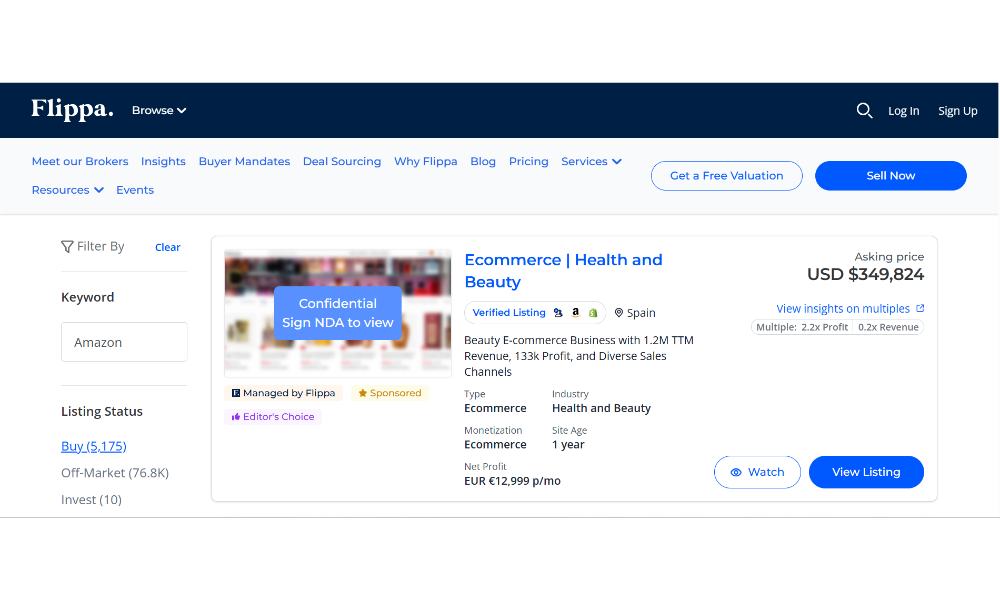
Platforms like Flippa, Empire Flippers, and others list Amazon FBA businesses for sale. These marketplaces provide:
- Exposure to large buyer audience
- Valuation tools and guidance
- Secure transaction management
- Escrow services
- Transfer support documentation
Each platform has different fee structures, minimum business sizes, and vetting processes. Research which marketplace aligns with your business size and goals before listing.
Direct Sales
Some sellers prefer finding buyer directly and managing Amazon account transfer themselves. This avoids broker commissions but requires:
- Finding qualified buyer (harder than it sounds)
- Negotiating deal terms without guidance
- Managing due diligence requests
- Ensuring legal protection
- Coordinating entire transfer process
If attempting direct sale, invest in lawyer specializing in M&A for ecommerce businesses. Legal fees ($5K-$20K depending on complexity) are worth proper sale agreement protecting you and structuring deal tax-efficiently when you transfer Amazon seller account to another person.
Escrow Services
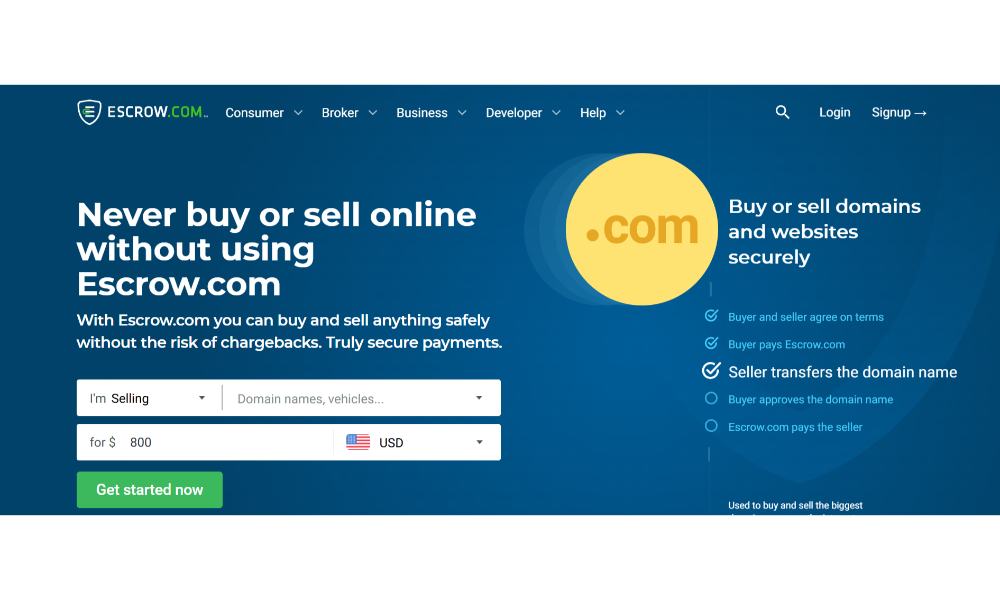
Regardless of how you sell, escrow protection is non-negotiable when you transfer ownership of Amazon seller account:
For deals under $500K: Escrow.com works well and is reasonably priced
For larger deals: Attorney escrow or broker-managed escrow provides additional protection
Never transfer Amazon seller account first hoping buyer pays later. That’s how sellers get scammed.
Planning Life After Your Amazon Seller Account Transfer
Most sellers focus exclusively on maximizing exit value and executing Amazon account transfer. Few think through what happens after wire hits their account.
If You Structured Earnout:
You’re not done after you transfer Amazon seller account. You’ll need to:
- Stay involved for transition support
- Help with supplier relationships
- Potentially consult on operations for months
Underestimating post-sale time commitment causes stress when you thought you were free after Amazon seller account transfer but keep getting pulled back in.
Set Clear Boundaries:
Specify exactly in sale agreement when you transfer ownership of Amazon seller account:
- How many hours of transition support you’ll provide
- How buyer can contact you
- What happens if they need more support than anticipated
- When your obligations officially end
Tax Planning:
Depending on how you structure sale (asset sale vs entity sale), tax treatment differs dramatically when you transfer Amazon seller account:
Asset Sales: May allow allocating value to different asset categories with different tax rates. Entity Sales: May qualify for preferential capital gains treatment
Consult CPA specializing in business sales before signing. The difference can be worth tens of thousands in taxes.
Non-Compete Agreements:
Most buyers require non-competes, preventing you from launching competing products after you transfer Amazon seller account. This typically lasts 2-5 years.
Read your non-compete carefully before signing. Understand exactly what it prohibits:
- Specific products or entire product categories?
- Specific marketplaces or all ecommerce platforms?
- Specific geographic regions or worldwide?
If planning to continue in Amazon FBA after your Amazon account transfer, structure next business to avoid related account issues:
- Use completely different business entity
- Different bank accounts and addresses
- Different email domains
- Different phone numbers
This reduces risk Amazon connects your old and new accounts after you transfer ownership of Amazon seller account.
Final Thoughts: The Bottom Line on How to Transfer Amazon Seller Account
The question “Can I transfer my Amazon seller account to someone else?” has a nuanced answer depending on your business structure and sales approach. Thousands of sellers successfully complete the Amazon account transfer process every year. The ones who struggle usually:
- Didn’t prepare adequately before listing
- Tried cutting corners during the transfer process
- Didn’t understand Amazon’s policies and risks
- Ignored professional guidance
Start Planning Your Exit Early:
Well, before you’re ready to transfer Amazon seller account:
- Structure business as a proper legal entity (LLC or corporation)
- Build systems and document processes
- Remove yourself from daily operations
- Clean up financial records
- Strengthen the supply chain with backup suppliers
When Ready to Transfer Ownership of Amazon Seller Account:
- Work with experienced professionals (aggregators, brokers, or M&A attorneys)
- Communicate transparently with Amazon throughout the process
- Use proper escrow protection for payment
- Create clearly defined sale agreement with specific terms
- Follow proper sequence for updating account information
“The sellers who have smooth exits are the ones who treated their Amazon business like an actual business from day one. If you’re planning to sell eventually, act like it from the beginning. Structure properly, document everything, and build systems. Your future self will thank you.” Dilip Vamanan, Co-founder
Don’t try sneaking changes through, hoping Amazon won’t notice during your Amazon seller account transfer. That’s how accounts get suspended mid-deal and transactions fall apart.
Most importantly, understand that when you transfer Amazon seller account to another person, it’s a process requiring 2-6 months from initial conversations through final payment and transition support. Sellers who understand this timeline and prepare accordingly have successful exits.
Your Amazon FBA business represents years of work and real value. Taking time to properly execute the Amazon account transfer ensures you capture that value and both you and the buyer walk away satisfied. That’s how exits should work.
When sellers ask us, “Can I transfer my Amazon seller account?” we always start by asking about their business structure and exit goals. The answer determines everything about their Amazon seller account transfer strategy. Whether you’re just starting to think about eventual exit or ready to list your business tomorrow, understanding how to properly transfer ownership of your Amazon seller account is crucial for maximizing your exit value and ensuring a smooth transition.
Additional Guide:
Is it possible for a seller to have multiple Amazon accounts?
The future of Amazon selling: A comprehensive report by Payoneer & SellerApp.
How to optimize your ASIN matrix with SellerApp
What is the difference between multichannel and omnichannel retailing?
How to Convert Amazon ASIN To UPC