

Honestly, Walmart coupons are one of the most underused tools in everyday shopping, and that is not because they are hard to find.
Most shoppers land on Walmart.com already feeling like they are getting a great deal. The prices are low, rollback tags are everywhere, and the homepage deals practically beg you to buy something you weren’t planning to buy. So why bother with coupons at all?
Under Walmart’s everyday low prices sits an entire savings system that most shoppers completely ignore, or sometimes worse, they try to use the wrong Walmart coupon and give up on it entirely.
Walmart coupons come in different forms than most people realize, like paper manufacturer coupons, Walmart Cash offers, rollback deals, clearance cycles, Ibotta rebates, and promo codes at checkout. Each one works. But they don’t work together at the same time.
This guide covers the full picture of Walmart coupons. You’ll learn exactly which Walmart coupons Walmart.com accepts, how to stack savings tools the right way, when to hold a coupon instead of using it immediately, and how to use the Walmart app to catch deals most shoppers scroll right past.
Whether you’re trimming your weekly grocery bill or making smarter calls on bigger purchases, the savings are real. You just need to know where to look and which Walmart coupons to combine with what.
Let’s get into it.
Quick Guide
What Walmart Coupon Codes Actually Mean for Sellers
If you are a seller on Walmart Marketplace, you should understand how Walmart coupon and promotional pricing systems work on your end, directly affecting your visibility, buy box eligibility, and your margins.
Here’s what you actually need to know.
Walmart Doesn’t Give Sellers a Traditional Coupon System
Let’s clear the air. If you have been selling on any other marketplaces like Amazon and expecting to create percentage-off coupon codes that shoppers can clip on your listing page, as Amazon coupons generally do, well, that’s not how Walmart Marketplace works.
Walmart does not currently support traditional promo codes or BOGO campaigns for third-party sellers. But that is not a limitation for the sellers.
Walmart’s approach is more blunt than Amazon’s, built entirely around price, but that also means the savings you offer go 100% toward the customer’s purchase, not toward platform performance.
What you can expect from Walmart is a promotional pricing system built into the Walmart Seller Center. It is cleaner in some ways and more restrictive in others, and if you don’t set it up correctly, your discount either won’t appear the way you intended or won’t appear at all.
That second scenario happens more often than sellers expect, and usually at the worst possible moment, maybe the morning of a major sale event. And no seller wants to go through that headache.
Here is what can help you.
The Two Types of Seller Promotions
There are two promotion types available in Seller Center, and the one you use determines not only the size of your discount but also whether shoppers ever see it at all.
1. Promo Type (Visible Strikethrough Discount)
This is the promotion shoppers actually see on your listing page. When set up correctly, it shows a “Reduced Price” or “Clearance” flag directly on the product, with a strikethrough over the original price. This is the visual that stops a shopper in the middle of scrolling.
But you can’t get there that easily. Your promotional price must be at least 10% lower than the item’s original “was priced” or list price. If your discount doesn’t clear that 10% threshold, the strikethrough simply won’t appear; your item gets the lower price but none of the visual signals that drive clicks.
This is where many sellers quietly lose money. They run a 7% or 8% discount, thinking they’re being conservative with margins, and then wonder why their promoted items aren’t performing any better than their standard listings. The strikethrough is driving more conversions than the actual price drop in many categories.
Shoppers respond to the visual cue of a crossed-out number, which triggers a different kind of decision-making than seeing a lower price. If you’re going to run a promotion, commit to the 10% minimum. A half-measure here costs you the visual entirely and leaves you with thinner margins for no behavioral benefit.
The other thing worth understanding about promo-type discounts is their compounding effect over time. Sellers who consistently run them during high-traffic windows, Walmart Deals events, Black Friday, and back-to-school tend to see visibility gains that persist after the promotion ends, because Walmart’s algorithm factors in conversion speed.
2. Price Placement (Hidden Cart Discount)
This is the least obvious promotion type, and it catches sellers off guard in two ways: sometimes because they didn’t intend to use it, and sometimes because they set it up expecting it to work like a promo-type discount, only to find shoppers aren’t responding.
Price placement promotions don’t display the discounted price on the product listing page. The reduced price only appears after the item is added to the cart or during the final checkout stages. This exists specifically for situations where your promotional price falls below your product’s Minimum Advertised Price (MAP).
Walmart uses it to stay MAP-compliant while still offering the lower price. The deal exists for shoppers because they don’t see it until they’re already committed enough to add the item to their cart.
The honest assessment of price placement is how it converts. You’re not going to use a hidden checkout discount to drive new traffic to a listing. What it does do is reduce cart abandonment among shoppers who are already price-comparison shoppers. If someone has both your item and a competitor’s item in their cart, a price drop that appears at checkout can tip the final decision.
The other practical reason to understand price placement is if you have brand distribution agreements with MAP requirements, this is how you discount without technically violating them on the listing page. Whether your brand partners consider that within the spirit of the agreement is a different conversation, but from a platform mechanics standpoint, this is the tool Walmart provides for that situation.
The Two Types of Seller Promotions
There are two promotion types available in Seller Center, and the one you use determines not only the size of your discount but also whether shoppers ever see it at all.
1. Promo Type (Visible Strikethrough Discount)
This is the promotion shoppers actually see on your listing page. When set up correctly, it shows a “Reduced Price” or “Clearance” flag directly on the product, with a strikethrough over the original price. This is the visual that stops a shopper in the middle of scrolling.
But you can’t get there that easily. Your promotional price must be at least 10% lower than the item’s original “was priced” or list price. If your discount doesn’t clear that 10% threshold, the strikethrough simply won’t appear; your item gets the lower price but none of the visual signals that drive clicks.
This is where many sellers quietly lose money. They run a 7% or 8% discount, thinking they’re being conservative with margins, and then wonder why their promoted items aren’t performing any better than their standard listings. The strikethrough is driving more conversions than the actual price drop in many categories.
Shoppers respond to the visual cue of a crossed-out number, which triggers a different kind of decision-making than seeing a lower price. If you’re going to run a promotion, commit to the 10% minimum. A half-measure here costs you the visual entirely and leaves you with thinner margins for no behavioral benefit.
The other thing worth understanding about promo-type discounts is their compounding effect over time. Sellers who consistently run them during high-traffic windows, Walmart Deals events, Black Friday, and back-to-school tend to see visibility gains that persist after the promotion ends, because Walmart’s algorithm factors in conversion speed.
2. Price Placement (Hidden Cart Discount)
This is the least obvious promotion type, and it catches sellers off guard in two ways: sometimes because they didn’t intend to use it, and sometimes because they set it up expecting it to work like a promo-type discount, only to find shoppers aren’t responding.
Price placement promotions don’t display the discounted price on the product listing page. The reduced price only appears after the item is added to the cart or during the final checkout stages. This exists specifically for situations where your promotional price falls below your product’s Minimum Advertised Price (MAP).
Walmart uses it to stay MAP-compliant while still offering the lower price. The deal exists for shoppers because they don’t see it until they’re already committed enough to add the item to their cart.
The honest assessment of price placement is how it converts. You’re not going to use a hidden checkout discount to drive new traffic to a listing. What it does do is reduce cart abandonment among shoppers who are already price-comparison shoppers. If someone has both your item and a competitor’s item in their cart, a price drop that appears at checkout can tip the final decision.
The other practical reason to understand price placement is if you have brand distribution agreements with MAP requirements, this is how you discount without technically violating them on the listing page. Whether your brand partners consider that within the spirit of the agreement is a different conversation, but from a platform mechanics standpoint, this is the tool Walmart provides for that situation.
The Three Savings Tools That Actually Work for Walmart Coupons
Here’s what most sellers miss about Walmart coupons, and that is if you walk into Walmart [8] or log into Walmart.com without understanding which tools conflict with each other, you’ll either leave savings on the table or get to checkout confused about why your math does not add up.
There are three core savings tools available to Walmart shoppers right now. Understanding how they interact and where they block each other is where your real savings strategy lives.
Tool 1: Paper Manufacturer Coupons
This is old school, but it’s still one of the most reliable ways to save at Walmart and the only traditional coupon format the store accepts in person.
Paper manufacturer coupons work in-store only. They come from Sunday newspaper inserts, product mailers, product packaging, or print-at-home sources like Coupons.com. They cannot be applied to Walmart.com orders or curbside pickup orders.
For shoppers searching for coupons for Walmart grocery runs specifically, manufacturer coupons on
- staples
- cereal
- detergent
- baby products
- personal care
These are where the consistent weekly savings come from. These categories get heavy coupon rotation from major brands like P&G, Unilever, and General Mills, which means a patient shopper with a small stack of paper coupons and a rollback price can build a genuinely significant discount without any apps involved.
The underrated value of paper coupons is their predictability. Walmart Cash offers change week to week. Walmart uses Ibotta’s technology to give you cashback offers on products, and Ibotta deals rotate constantly.
A paper coupon in your hand is a fixed, guaranteed discount that doesn’t depend on whether you remembered to clip a digital offer or whether the app synced correctly at checkout.
For shoppers who don’t want to manage multiple apps on every shopping trip, paper coupons paired with Rollback prices remain a perfectly respectable strategy.
Brands that distribute high-value manufacturer coupons for products sold on Walmart Marketplace are essentially subsidizing customer acquisition for their own listings. If you’re a brand seller and you’re not coordinating your manufacturer coupon drops with your Walmart promotional pricing calendar, you’re leaving a compounding opportunity unused.
A shopper who finds a $2 paper coupon for your product and then sees a rollback price on your Walmart listing is a highly motivated buyer, more motivated than one responding to either signal alone. Timing a promo-type discount in Seller Center to overlap with an active manufacturer coupon cycle is a strategy almost no marketplace seller is deliberately executing.
Tool 2: Walmart Cash
Walmart Cash is Walmart’s own digital rewards program, built directly into the Walmart app and Walmart.com. When you buy eligible items with active Walmart Cash offers clipped to your account, the reward is added as store credit redeemable for future purchases, both online and in-store.
For buyers, you have to clip the offer before checkout and not after. If you forget, Walmart does give you a second chance. Scan your receipt barcode in the app within seven days of purchase, and as long as the offer was clipped before you checked out, the Walmart Cash will still be credited. That’s a useful safety net, but it only works if the clipping happened first.
On Walmart.com, Walmart Cash applies automatically at checkout when you are signed in and the offer was clipped beforehand. Once your balance hits $25, you can also redeem Walmart Cash for actual cash in-store up to $500 per day, making it more flexible than typical store credit programs.
For shoppers specifically looking for a free Walmart coupon alternative that doesn’t require clipping paper or hunting promo codes, Walmart Cash offers are the closest thing to a built-in discount program that Walmart actually operates consistently. The offers rotate weekly and tend to be strongest on grocery, household staples, and baby products, which is exactly where the savings frequency matters most.
For sellers: Walmart Cash offers that appear on your listing come from manufacturer-funded programs, not from you as a seller. But the presence or absence of active Walmart Cash offers on competitive products in your category absolutely affects your conversion rate because shoppers’ comparison shopping between two similar listings will factor in the effective post-reward price, not just the sticker price.
This is why monitoring which products in your category carry active Walmart Cash promotions is worth building into your competitive pricing reviews. If a competitor’s item has a $3 Walmart Cash offer attached and yours doesn’t, your listed price might need to be $3 lower to be genuinely competitive on effective cost to the shopper. Most sellers price against sticker prices. The sharper ones’ price against effective post-reward costs.
Tool 3: Third-Party Cashback Apps (Ibotta, Fetch, Checkout 51)
Third-party cashback apps are a separate savings layer that sits outside Walmart entirely. The three most used are Ibotta, Fetch Rewards, and Checkout 51. Each lets you claim rebates after purchase by scanning your receipt or linking your Walmart account directly. They maintain their own offer libraries that often overlap with, but are not identical to, the Walmart Cash offers in the Walmart app.
The practical advantage these apps sometimes have over Walmart Cash is offer size. Ibotta in particular occasionally runs higher rebates on specific products, especially around new product launches and CPG brand trial campaigns. Fetch and Checkout 51 tend to have broader product coverage with smaller rebate amounts.
For shoppers who regularly buy the same brands, checking these apps alongside Walmart Cash before each Walmart.com order takes about 90 seconds and can meaningfully shift which savings tool gives you the better deal on a given item that week.
The limitation across all three apps is active management. You need to claim offers before shopping and submit your receipt within a specific window after purchase. Among the three, Ibotta has the most robust offer library, Fetch is the easiest to use, and Checkout 51 works well for grocery-heavy shoppers. For someone who doesn’t want to manage a second app, Walmart Cash is simpler, even if occasionally it’s a smaller rebate.
Ibotta’s brand partnership model is worth understanding from a seller’s perspective. Brands pay Ibotta to feature their products with cashback offers, essentially treating it as a paid acquisition channel dressed up as a consumer savings tool.
If you’re a brand seller on Walmart Marketplace with a marketing budget, running an Ibotta offer in parallel with a Walmart promotional price and a Walmart Connect sponsored product campaign creates three simultaneous demand signals for the same product. Very few sellers coordinate all three.
The ones that do tend to see disproportionate sales velocity during the campaign window because they’re reaching the same motivated shopper through three different touchpoints:
- the search results page
- the cashback app (Ibotta, Fetch, or Checkout 51)
- The savings comparison at checkout.
How to stack your coupons
This is the part that trips up shoppers and sellers alike. These three tools cannot be freely combined. The rules are specific to this.
Walmart Cash + Ibotta on the same item: not allowed
Even if your Ibotta and Walmart accounts aren’t linked, you cannot earn both rewards on the same purchase. Pick one.
Paper coupon + Walmart Cash on the same item: not allowed
If you use a paper manufacturer’s coupon on an item, Walmart Cash is off the table for that item in that transaction.
Paper coupon + Ibotta on the same item: not allowed.
Ibotta’s terms explicitly prohibit combining their cashback offers with manufacturer coupons.
In practice, this means each item on your shopping list needs its own savings decision. There’s no universal stack that works across your whole cart. The decision is to identify the best single savings tool for each item, then pair it with a sale or rollback price wherever possible.
The three combinations that actually work are straightforward once you accept the one-tool-per-item rule:
Sale Price + Paper Coupon
The cleanest stack, no apps required, works entirely in-store. Best for shoppers with high-value manufacturer coupons on items already on Rollback.
Sale Price + Walmart Cash
The right move when no paper coupon is available. Especially effective on grocery and household items, where Walmart Cash offers tend to be most consistent week to week.
Sale Price + Ibotta
The better choice in weeks when Ibotta’s rebate on a specific product is higher than the available Walmart Cash offer. Worth doing the comparison rather than defaulting to one app.
Where to Actually Find Walmart Coupons
Looking for active Walmart coupons for your next Walmart.com order? Here are the sources that actually work, ranked by how underused they are relative to their value.
Manufacturer Brand Emails
So brands like Tide, Bounty, Pampers, Gillette, and General Mills send high-value manufacturer coupons, sometimes $2 to $5 off, directly to email subscribers. These are printable manufacturer coupons Walmart accepts at the register, often with higher face values than anything on aggregator sites.
Sign up for 10 to 15 brand email lists from companies whose products you already buy regularly. The volume of coupons landing in your inbox every month will exceed what any aggregator site publishes for those same brands. You get them directly from the source, often before they appear anywhere else.
If you’re a brand seller, coordinate your email coupon drops with a simultaneous promo-type discount in Seller Center. The shopper receives a $2 manufacturer coupon in their inbox, searches for your product on Walmart.com, and finds it already on rollback with a strikethrough.
Three purchase signals are hitting the same shopper in the same consideration window. Almost no Marketplace seller deliberately synchronizes these two systems.
Sunday Newspaper Inserts
Major CPG brands still run high-value manufacturer coupons through Sunday newspaper inserts because the redemption economics still work for them. The advantage over digital sources: physical, guaranteed, no app required, no sync at checkout. You cut it out, bring it in, and it works.
If you don’t subscribe to a Sunday paper, many libraries carry them. Some dollar stores sell Sunday papers for $1, which pays for itself immediately if the insert has a single coupon you use.
Print-at-Home Sites
Coupons.com and ValPak are the most reliable print-at-home sources for manufacturer coupons that Walmart accepts. One operational note that matters: print at full quality and check that the barcode is sharp before you leave. Walmart won’t accept coupons that are blurry, out of proportion, or appear altered. A failed scan wastes everyone’s time.
Ibotta and Fetch fill the gaps on products where no paper coupon is available, not print sources, but receipt-based cashback that functions as a post-purchase coupon equivalent.
The Walmart App, but Walmart Cash Offers Only
The Walmart app is where you clip Walmart Cash offers. Offers rotate weekly and are strongest on grocery, household staples, and baby products. The one habit that matters: clip before you leave the house, not while standing in the aisle.
Walmart Cash offers must be clipped before checkout to count. A five-minute pre-shop routine of opening the app and clipping anything relevant to your list eliminates the most common Walmart Cash mistake entirely.
Walmart’s Email Newsletter
Signing up gets you early sale notifications and occasional Walmart coupon codes that don’t surface publicly. Most valuable as an early warning system for upcoming sale events and a source of online-only promo codes.
It won’t replace a manufacturer’s coupon strategy for grocery savings, but it adds a low-maintenance layer for online purchases.
Grocery Store Flyers
Walmart price matches identical items sold and shipped directly by Walmart.com. Grocery store flyers provide documented evidence of a lower competitor’s price to bring to the register. Not technically a coupon, but the savings mechanism is identical.
Checking nearby grocery chain flyers before a Walmart trip takes five minutes and occasionally saves $3 to $5 on a single item.
The Weekly Routine That Makes This Sustainable
Coupon sourcing only works if it’s built into a consistent habit, not treated as a pre-trip scramble. Ten minutes a week covers the full stack:
Open the Walmart app and clip active Walmart Cash offers on your regular purchases. Check Ibotta for anything that beats the Walmart cash equivalent for the same product. Scan your brand email inbox for high-value manufacturer coupons on items you need. Check Coupons.com for anything not covered above.
That’s it. Done weekly, it compounds because you build familiarity with which brands run the most consistent offers on which products, and you stop missing deals you would have used if you’d only known about them in time.
Shoppers who actively source manufacturer coupons compare shops on the effective post-reward price, not the sticker price. They’re also the most likely to switch brands when a competitor has an active offer, and theirs doesn’t. In high-coupon categories, household staples, personal care, baby products, maintaining active promotional pricing, and Walmart Cash offer visibility are how you retain these buyers.
A shopper with a $2 manufacturer’s coupon for your product who finds it on Rollback is your most motivated buyer. The same shopper who finds a competitor’s version with a Walmart Cash offer attached instead is a lost sale that didn’t need to happen.
5 Common Walmart Coupon Mistakes Shoppers Make And What Sellers Can Do About Them
Your buyers are making predictable, repeatable mistakes on Walmart.com that quietly drain your conversion rate. None of these are your fault. All of them are your problem. Here’s what’s happening and what you can do about each one.
Mistake 1: Buyers Shopping as Guests
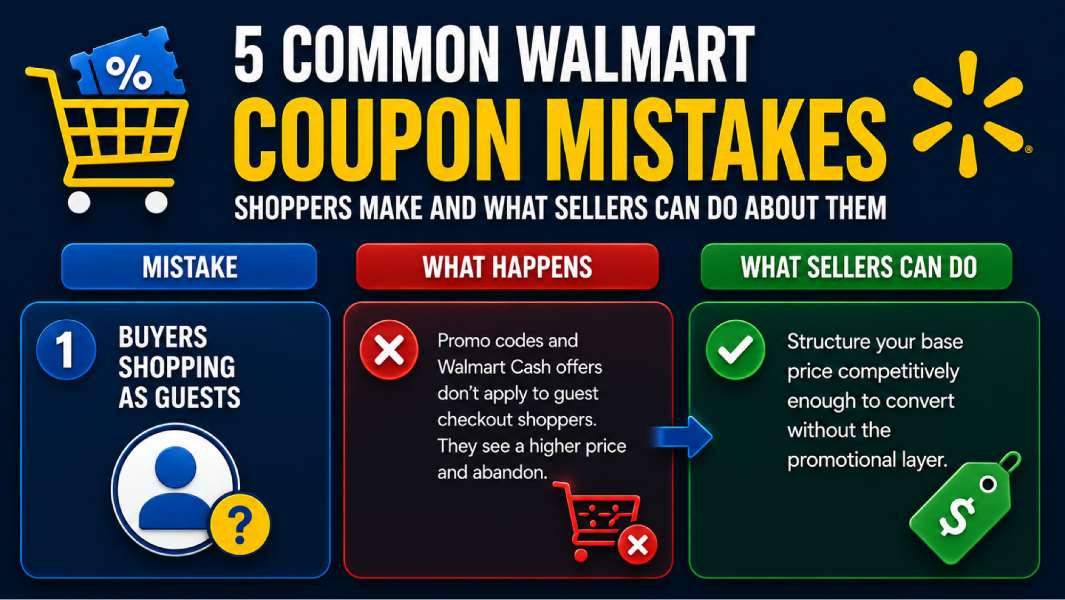
A significant share of Walmart.com shoppers check out as guests, which means promo codes and Walmart Cash offers don’t apply to their order. When a promotion doesn’t apply at checkout, buyers don’t always understand why they just see a higher price than expected and abandon.
Your Promo Type discount and any associated Walmart Cash offers are invisible to guest checkout shoppers. You’re running a promotion that a portion of your audience literally cannot see the benefit of.
There’s no way to force buyers to log in, but structuring your base price competitively enough to convert even without the promotional layer reduces your exposure to this drop-off. Listings that win on price before promotions are more resilient than listings that depend on promotional pricing to be competitive.
Mistake 2: Buyers Not Clipping Walmart Cash Offers Before Ordering
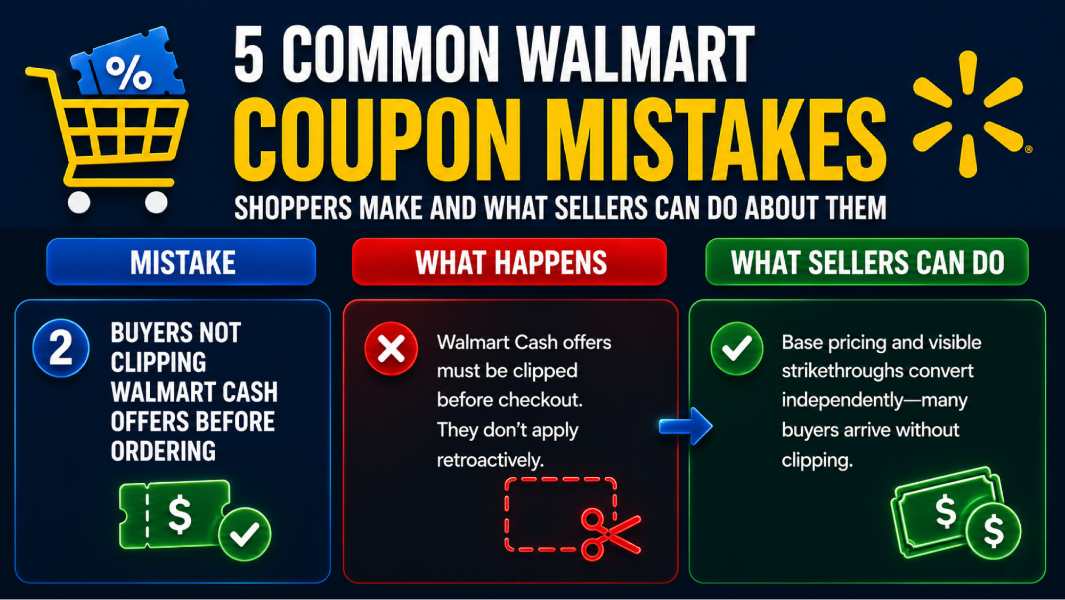
Walmart Cash offers must be clipped before checkout. Buyers who discover an offer after placing their order either don’t get it or face the friction of returning and reordering, which most don’t bother with.
If manufacturer-funded Walmart Cash offers are active on your category, buyers who miss the clipping step perceive zero savings difference between your listing and a competitor’s. The offer exists; they just didn’t see it in time.
This is why your listing’s base pricing and any visible promo type strikethrough need to convert independently of Walmart Cash, because a meaningful percentage of your potential buyers will arrive at your listing without having clipped anything. Relying entirely on Walmart Cash offer visibility to be price-competitive is a leaky strategy.
Mistake 3: Buyers Trying to Apply Manufacturer Coupons Online
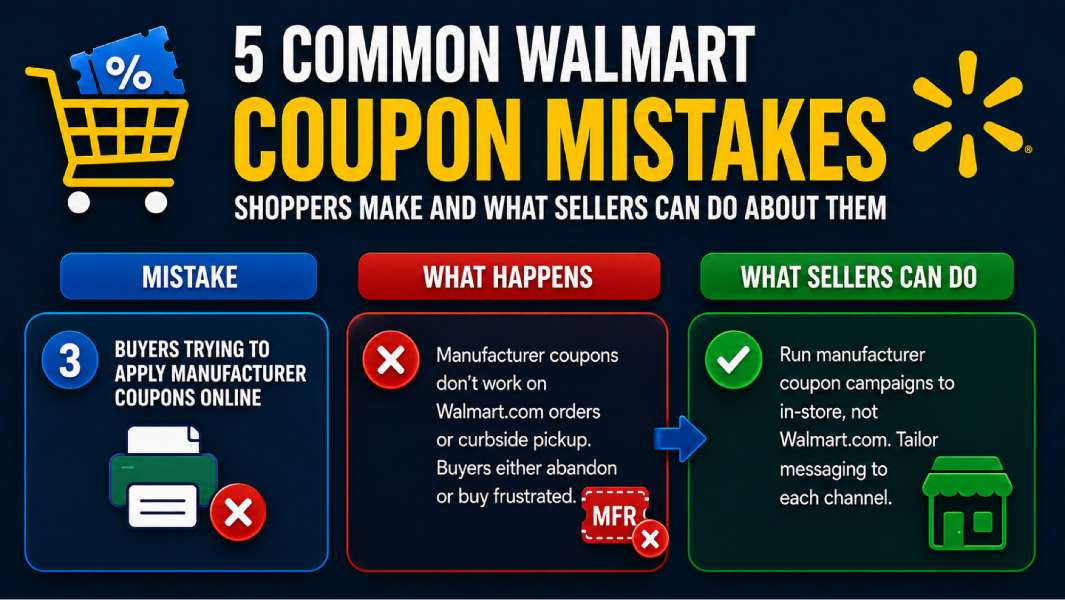
Manufacturer coupons, paper or print-at-home, do not work on Walmart.com orders or curbside pickup. Only Walmart-issued promo codes apply online. Buyers who discover this at checkout either abandon or complete the purchase, frustrated, neither of which builds the kind of experience that generates a repeat sale.
Buyers who arrive at your Walmart.com listing from a manufacturer coupon campaign, whether yours or a competitor’s, are expecting savings that the online channel cannot deliver. If you’re a brand seller running manufacturer coupon campaigns through Sunday inserts or brand email lists, make sure your messaging is tailored to each channel.
Coupon campaigns should drive buyers to in-store, not to your Walmart.com listing. Mismatched channel expectations at checkout are a conversion killer you can engineer around with smarter campaign targeting.
Mistake 4: Buyers Missing the Promo Code Field at Checkout
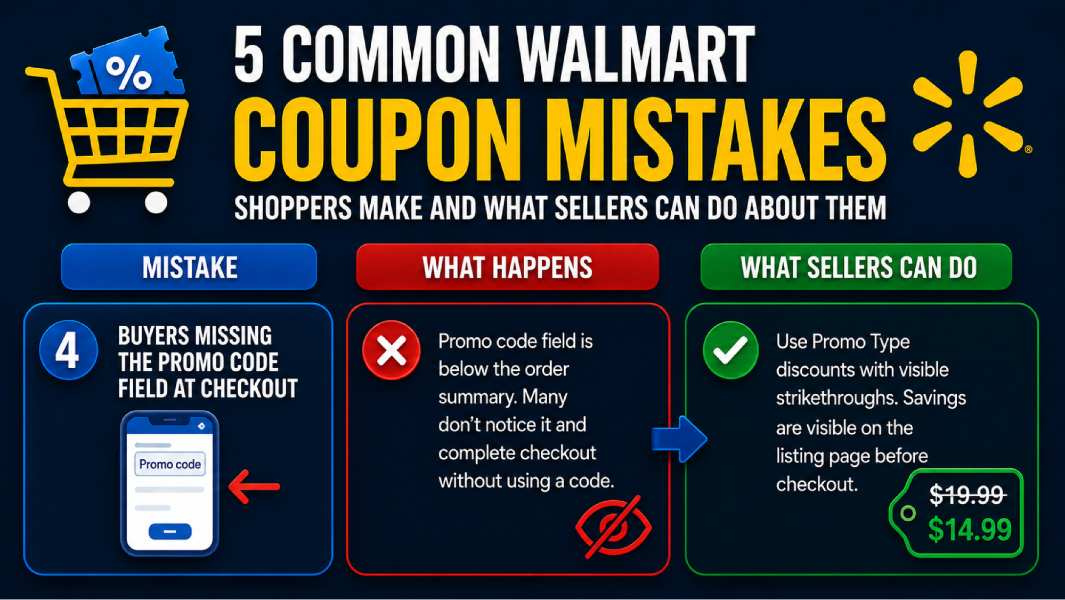
The promo code field on Walmart.com sits below the order summary, not at the top where buyers expect it. Many shoppers complete checkout without noticing it exists. For buyers who are price-sensitive enough to leave your listing and look for a Walmart coupon code before buying, the friction of finding a working code and locating the field can be enough to cause abandonment.
Buyers who hunt for a Walmart coupon code before completing a purchase on your listing are telling you something: they’re interested but not fully committed at your current price. These buyers are recoverable through Promo Type discounts with visible strikethroughs, which deliver the savings signal on the listing page before the buyer ever reaches checkout.
A buyer who sees a crossed-out price on your listing doesn’t need to go find a promo code. The discount is already visible. Strikethrough promotions reduce the promo-code-hunting behavior that bleeds buyers out of your funnel.
Mistake 5: Buyers Missing Price Placement Discounts
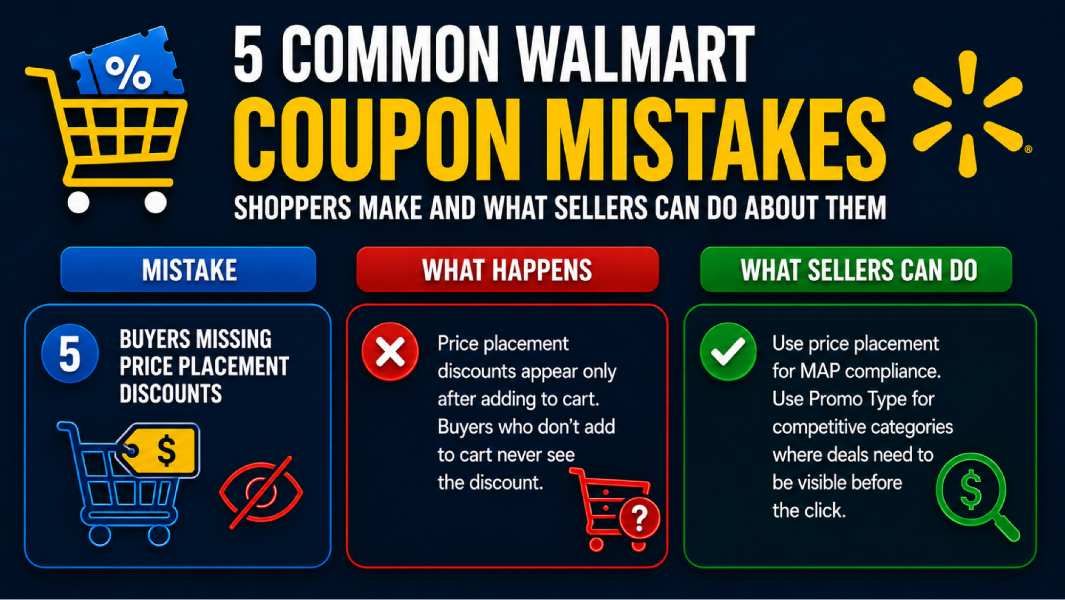
Price placement promotions, where your discounted price only appears after the item is added to the cart, are invisible on the listing page. Buyers who don’t add your item to the cart never see the discount. Many won’t bother if the listed price looks uncompetitive compared to alternatives in the same search results.
This is the fundamental conversion problem with price placement as a primary promotional strategy. You’re asking buyers to take a trust action, adding to the cart, before revealing the price that would have justified that action. Buyers who are comparison shopping across multiple listings in a category will often convert on the listing with the visibly lower price rather than the one requiring a cart add to reveal it.
Use price placement for what it’s built for, MAP compliance, and use promo type for competitive categories where buyers are making decisions based on what they see in search results. The listings that win conversions in competitive categories are those where the deal is visible before the click, not after it.
Final Thoughts
Most shoppers treat Walmart coupons as a single thing. They find a code, apply it, and save money. The reality is that Walmart’s savings system has at least five distinct layers: manufacturer coupons, Walmart Cash, promotional pricing, Walmart-funded incentives, and membership benefits. None of them connect automatically, but each has its own rules, timing requirements, and conflicts with the others.
The shoppers who consistently save the most at Walmart aren’t the ones who clip the most coupons. They’re the ones who understand which layer applies to which item, time their big purchases around Walmart’s sale event calendar, and treat the Walmart app as a savings tool rather than just an ordering interface.
For sellers who consistently win on Walmart Marketplace, they understand how promotional pricing, fulfillment speed, badge eligibility, and Walmart-funded incentives interact.
A well-timed promo-type discount from a pro seller with WFS fulfillment, launched 24 hours before a Deals event member window opens, with Walmart Cash offers clipped and inventory fully stocked, converts at a rate that looks like an outlier but is actually just better preparation than the competition’s.
Whether you’re shopping or selling, the savings and the sales go to whoever understands the system best. Now you do.