

Amazon Lens Live is already changing how product discovery works on Amazon, and most sellers have not noticed yet.
Shoppers are no longer relying only on search bars. They point their phones at products they see in restaurants, at friends’ homes, or on store shelves, and within seconds, they land directly on Amazon listings.
For sellers who have spent years mastering keyword rankings, PPC campaigns, and listing optimization, this is a meaningful shift. Visual search does not rely on traditional signals like bullet points, backend keywords, or historical rankings in the same way. It looks at one thing first: your product images.
As SellerApp’s Director of Listing Optimization and Amazon SEO explains, this shift puts pressure on how well a product can be visually identified and matched in real-world contexts, not just how well it is keyword-optimized.
If your listing visually matches what shoppers scan, you show up.
If it does not, you disappear from that discovery channel entirely.
From a customer journey perspective, this also introduces a new kind of high-intent traffic. According to SellerApp’s Director of Customer Success, visual discovery often starts with an immediate need, so listings must be instantly clear and contextually relevant to convert.
Sellers who understand this now can gain an advantage as visual search signals compound through engagement and conversions, much like traditional rankings evolve over time.
In this article, we break down how Amazon Lens Live works, what it means for your listings, how it can influence ACoS and ROI, and the practical strategies sellers can use to optimize for Amazon Lens tools and capture visual search traffic.
Quick Guide
- What Is Amazon Lens Live? The AI-Powered Tool Reshaping Visual Commerce
- How Amazon Lens Live Works Under the Hood
- Amazon Lens Live Availability and the Early Advantage for Sellers
- How Amazon Lens Live Changes the Game for Amazon Sellers
- What Does Amazon Lens Live Mean for Your ACoS and ROI?
- How to Track Lens-Driven Conversions Without Inflating Your ACoS
- FAQ
What Is Amazon Lens Live? The AI-Powered Tool Reshaping Visual Commerce
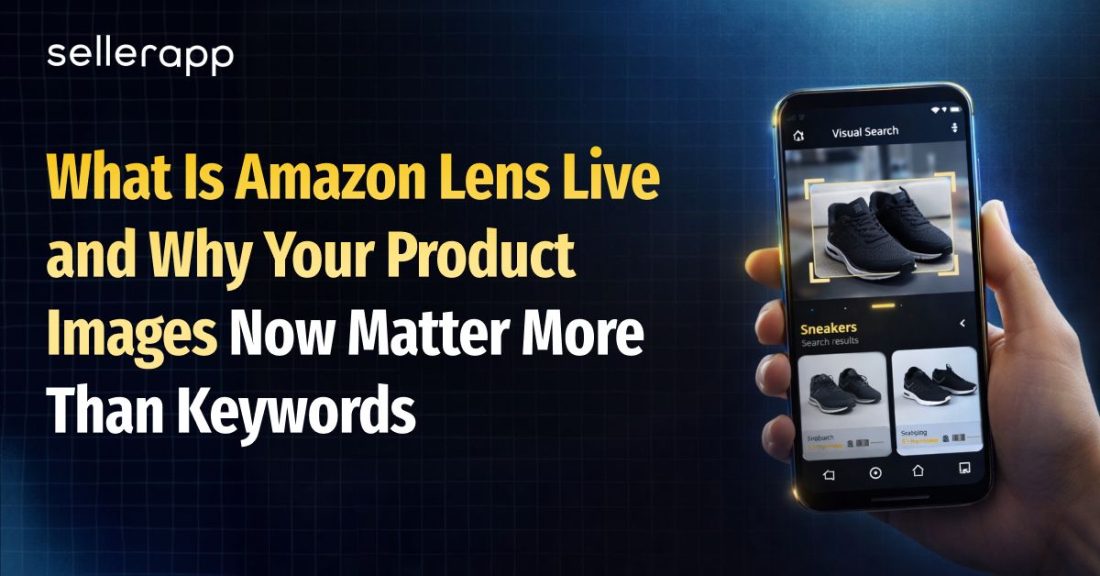
Amazon Lens Live is a visual search feature inside the Amazon shopping app. Instead of typing a product name, shoppers can simply point their phone camera at an item and see visually similar products available on Amazon.
Amazon Lens has existed for a few years as a visual search tool where shoppers could upload or capture an image to find similar products.
Amazon Lens Live builds on this by enabling real-time scanning directly through the camera, allowing shoppers to discover visually similar listings instantly as they move their phone.
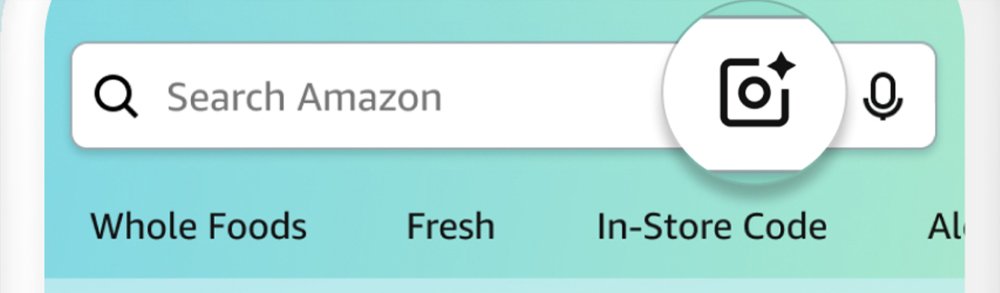
You can access it by opening the Amazon app, tapping the search bar, and selecting the camera icon. Whether it’s a pendant light in a café, a serum bottle at home, or a chair in a store, the tool scans and returns matches instantly.
This feature solves a long-standing problem in online shopping. In physical stores, people discover products visually. Something catches your eye and you pick it up. Online shopping changed that by forcing everything through a search bar, which meant you needed to know the product name first.
Amazon Lens Live removes that barrier.
For example, someone might notice a rattan pendant light in a restaurant or a frosted glass serum bottle on a friend’s bathroom shelf.
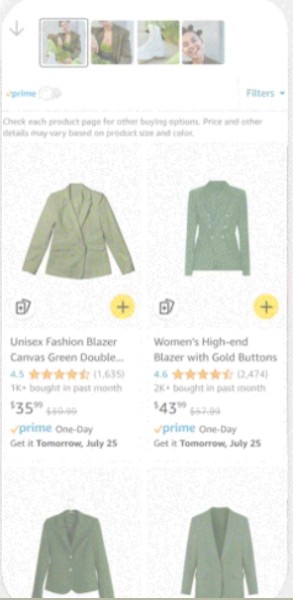
Instead of guessing the product name, they can simply scan it and instantly see visually similar products, not exact matches, from across Amazon’s catalog.
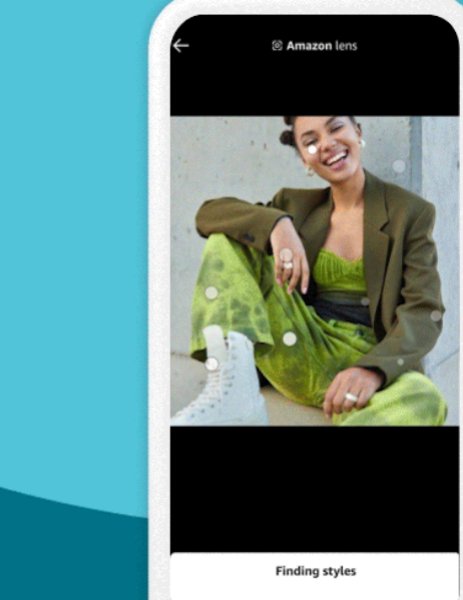
Amazon Lens Live sits at the intersection of mobile-first shopping and visual AI, where shoppers use their phones to scan real-world products and discover visually similar listings instead of typing search queries.
How Amazon Lens Live Works Under the Hood
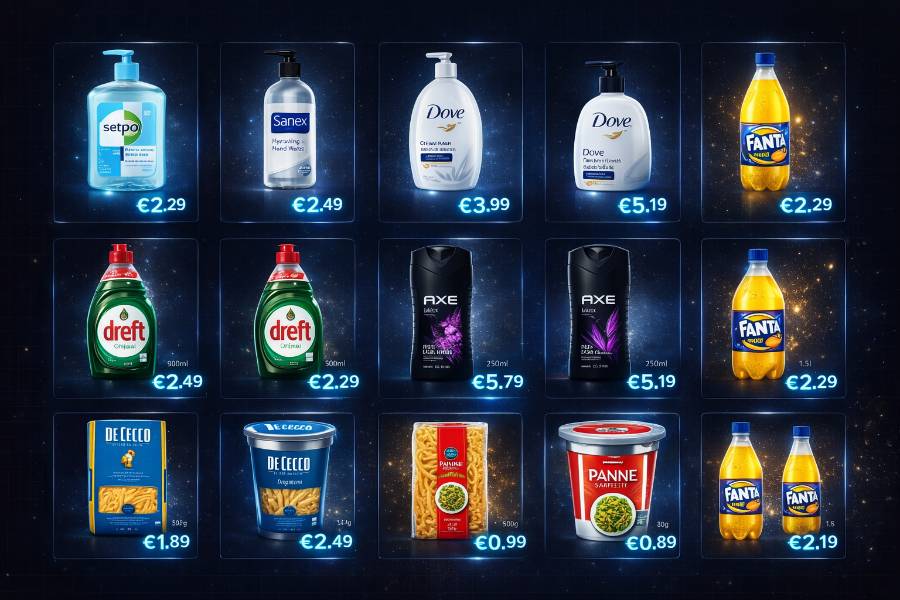
When a shopper points their camera at an object, Amazon Live Lens does not try to identify the product by name or scan for barcodes. Instead, it converts the image into a visual fingerprint, capturing key features such as shape, color, texture, and structural details, including packaging and design.
That fingerprint is then compared with millions of product images in Amazon’s catalog, and the system returns the closest visual matches. A simple way to think about it is Shazam for products.
Amazon Lens Live Availability and the Early Advantage for Sellers
Amazon Lens Live is currently available within the Amazon shopping app, though access may vary by user as the feature continues to expand and improve.
Amazon has been gradually integrating visual search capabilities for a few years, but Lens Live introduces real-time scanning directly through the camera, making product discovery faster and more intuitive.
Because the feature is still evolving, most sellers have not yet adapted their listings for visual search. That gap creates a meaningful early advantage.
Unlike keyword-driven rankings, where competition compounds over time, visual search is still relatively under-optimized. Sellers who improve their product images now can start capturing high-intent traffic before the space becomes saturated.
As more shoppers begin using Lens Live, the listings that already perform well in visual matching are likely to benefit from stronger engagement and conversion signals, reinforcing their visibility over time.

How Amazon Lens Live Changes the Game for Amazon Sellers
Amazon Lens Live does more than introduce a discovery channel. It changes how visibility is earned, how traffic behaves, and how sellers influence performance across organic and paid channels.
1. Discovery is no longer keyword-dependent
With visual search, your product can appear when a shopper scans a similar item in the real world, even if they have never searched for your category.
According to SellerApp’s Director of listing optimization and Amazon SEO, “Visual search levels the playing field in a way keywords never did. A newer seller with strong imagery can surface alongside established brands if the visual match is stronger.”
2. Higher-intent traffic improves conversion
Shoppers using Lens Live are often reacting to something they have already seen and liked, which leads to stronger purchase intent.
As noted by SellerApp’s Director of Customer Success, “The listing is no longer introducing the product, it is validating it. That is why conversion intent tends to be higher.”
Higher intent typically leads to better conversion rates and stronger listing performance signals.
3. Better conversion strengthens organic rankings
Amazon evaluates listing quality based on overall conversion. When visual traffic converts better, it lifts your blended conversion rate and can improve organic rankings over time without increasing ad spend.
4. Improved conversion efficiency lowers ACoS
Higher conversion means more revenue from the same ad spend. This improves ACoS and overall ROI, especially when visual traffic is supported with Sponsored Products and Sponsored Display.
5. A new layer of competitive intelligence
The products that appear in a scan are not always your keyword competitors.
By scanning your own products, you can identify visually similar competitors and refine your images to improve match accuracy.
6. Early data signals for optimization
Even without a dedicated Lens report, sellers can track indirect signals like rising sessions, stable rankings, and improving conversion rates.
These patterns help identify which listings benefit from visual search and where to focus next.
What Does Amazon Lens Live Mean for Your ACoS and ROI?
Amazon Lens Live may appear to be a discovery feature, but its real impact shows up in how efficiently your listings convert traffic into sales.
When a shopper uses visual search, the discovery has already happened offline. They are not browsing. They are trying to find a product similar to something they have already seen.
Conversion rate is one of the most important levers influencing both ACoS and ROI. For example, if you spend $100 on ads and generate $300 in sales, your ACoS is 33 percent. Improving conversion means more revenue from the same traffic, which lowers ACoS and improves overall return.
Research from Retail Dive suggests that users of visual search tools are significantly more likely to convert than those using text-based search.
The impact goes beyond visual search traffic itself. Amazon evaluates listing quality based on overall conversion rate, not by traffic source. When high-intent visitors convert more often, they improve your blended conversion rate across all sessions.
Over time, stronger conversion signals can improve organic rankings and reduce the level of ad spend required to maintain visibility. In that sense, visual search does not just drive additional traffic, it amplifies the performance of your entire listing.
Actual results will vary depending on factors like category, pricing, and listing quality. But the core principle remains the same. Higher-intent traffic converts better, and better conversion improves both ACoS and ROI.
The most effective approach is simple. Track your baseline metrics, optimize for visual search, and measure how performance changes over time.
How to Track Lens-Driven Conversions Without Inflating Your ACoS
Amazon does not currently provide a dedicated visual search metric in Seller Central. You cannot directly see how much traffic comes from Amazon Live Lens, so tracking its impact requires analyzing indirect signals.
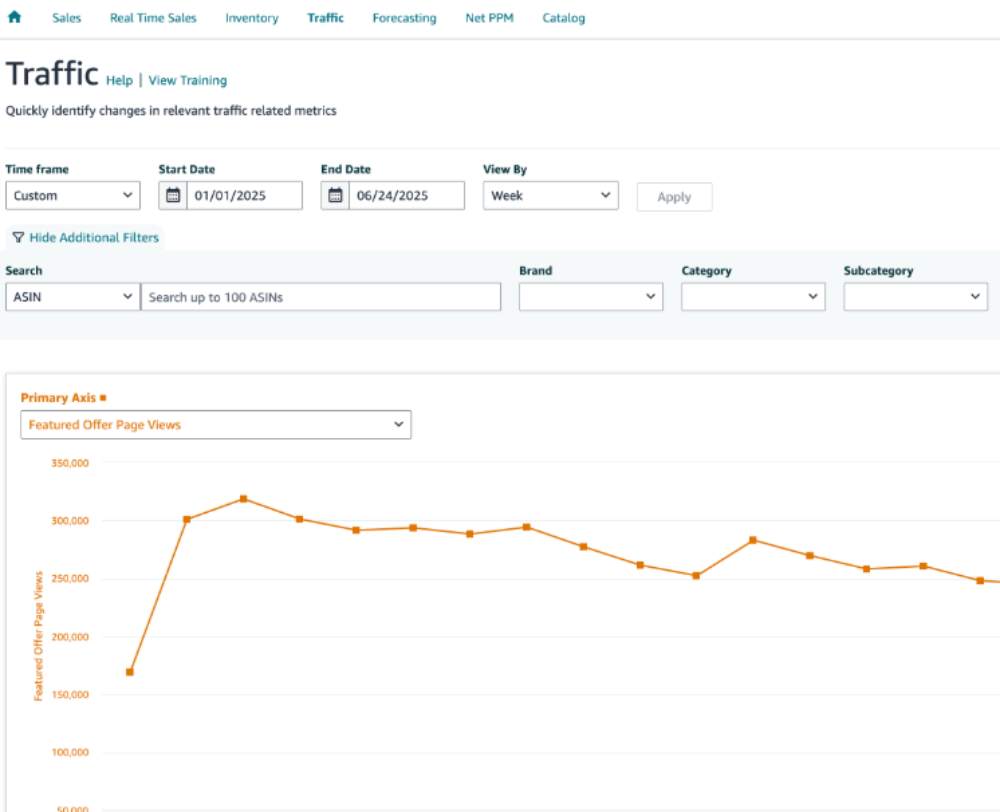
Here’s a structured way to do it.
Step 1: Record your baseline metrics
Before making any changes, capture your current performance data.
In Seller Central, go to:
Reports → Business Reports → Detail Page Sales and Traffic by Child Item
Track key metrics like sessions, page views, unit session percentage, and organic rankings. This gives you a clean starting point for comparison.
Step 2: Update your images and allow time for impact
Once your images are optimized for visual search, monitor performance weekly for about 60 days.
This acts as your settling period, allowing Amazon’s system to re-evaluate and index your updated visuals.
Step 3: Watch for early traffic signals
By weeks three and four, you may start to see session counts increase even if your keyword rankings remain unchanged.
This is one of the earliest indicators that visual search could be contributing to traffic.
Step 4: Validate performance patterns
Look for trends that suggest lens-driven impact:
Sessions are increasing without ranking improvements
Organic traffic growing while ad spend remains stable
Conversion rates are improving without changes to price or listing copy
These patterns indicate that new, high-intent traffic sources may be influencing performance.
Step 5: Reassess if performance remains flat
If you reach week six and organic traffic has not improved while ad spend remains unchanged, your images may need further optimization.
At this stage, revisit clarity, contrast, and visual distinctiveness.
Step 6: Use external tools for deeper insights
Platforms like SellerApp, Helium 10, and Jungle Scout can help identify unusual traffic spikes or performance changes that are not tied to keyword movements.
This can provide additional signals when native Amazon data is limited.
Step 7: Avoid misattribution
Not every performance improvement comes from Amazon Live Lens.
Better images often enhance performance across all traffic sources, including ads and organic search. Track your metrics carefully and focus on consistent patterns rather than isolated changes.
How to Use the Amazon Lens Tool in Your 2026 Content and Ad Strategy
Using Amazon Lens Live effectively means making your listings visually recognizable and aligning ads to capture that traffic.
If your packaging design is flexible, optimize it for visual recognition, not just shelf appeal. Lens relies on distinct visual features, so unique shapes, strong contrast, and clearly defined edges improve match accuracy.
Avoid generic packaging. Prioritize elements that stand out in real-world settings, such as a distinctive silhouette, bold label, or recognizable color block.
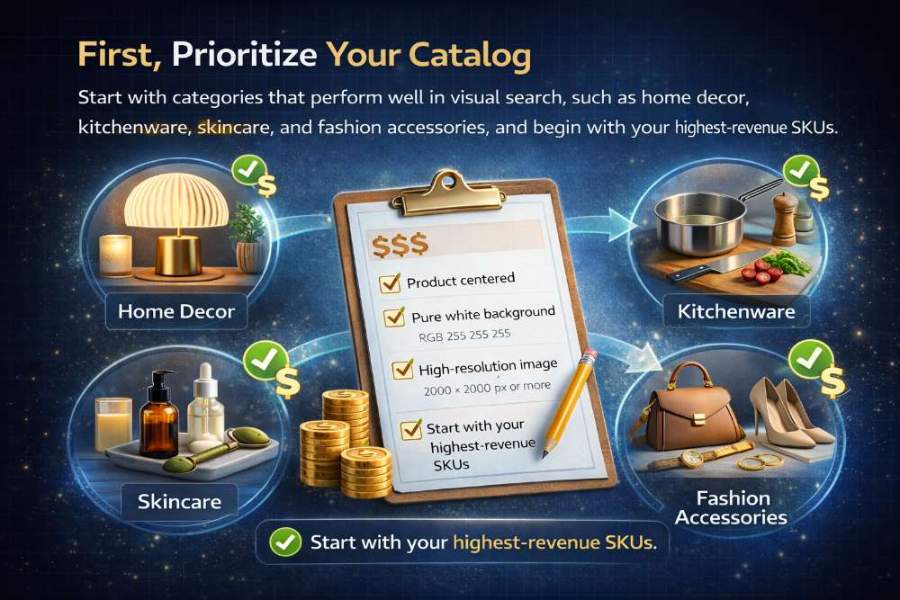
On the ad side, do not treat all SKUs equally. Focus on products most likely to benefit from visual search, typically those with strong visual identity or commonly scanned use cases like home decor, kitchenware, or skincare.
Run a simple validation test. Scan similar real-world items using Amazon Lens and note which listings appear. If your product is missing, refine your images before scaling ad spend.
Once your product starts appearing in visual matches, support it with Sponsored Products and Sponsored Display. High-intent traffic can accelerate conversions and strengthen ranking signals.
Treat visual optimization and advertising as a feedback loop. Use ad performance to identify top-converting SKUs, then double down. Over time, this reduces wasted spend and improves efficiency across organic and paid channels.
Step-by-Step Setup for Brands and Media Buyers
Optimizing for Amazon Lens Live is not just about updating images. It requires aligning your product visuals, listing content, and advertising strategy so your listings can be discovered through visual search and convert that traffic effectively.
This setup focuses on three things.
First, make your products visually recognizable so they can appear in Lens matches. Second, ensuring your listings convert high-intent traffic once shoppers land.
Third, supporting that traffic with ads to accelerate performance and reinforce ranking signals.
The steps below outline how to implement this across your catalog in a structured way.
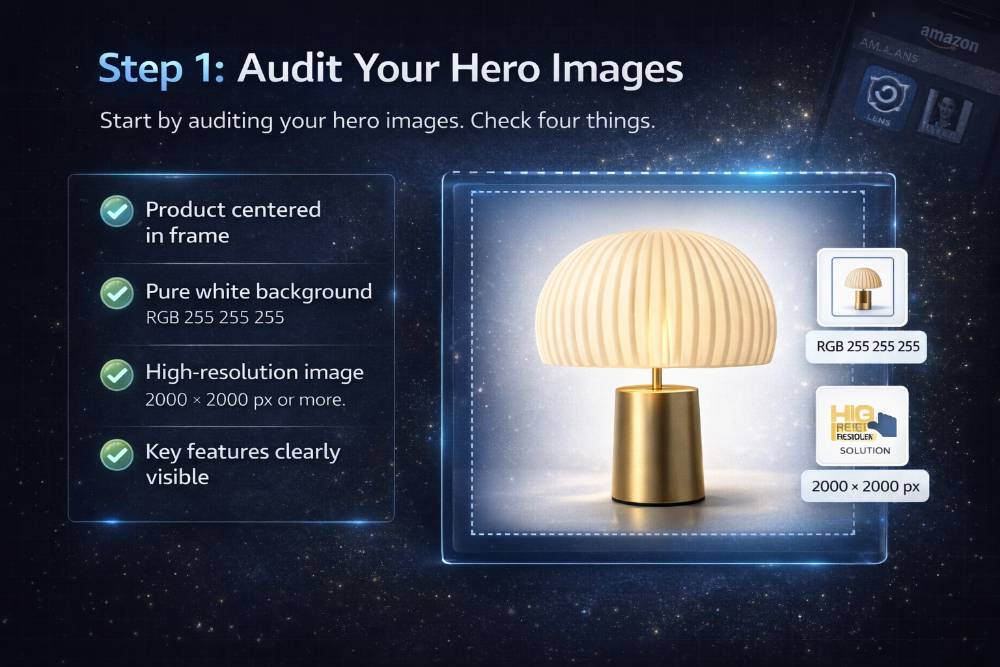
Step 1: Audit Your Hero Images
Start by auditing your hero images. Check four things.
- The product should be the main element in the frame. This ensures Amazon’s visual matching system can clearly identify the item without distractions from props or background elements.
- The background should be pure white. A clean background improves contrast, making it easier for the system to isolate the product and generate a more accurate visual fingerprint.
- The resolution should be at least 2000 × 2000 pixels. Higher resolution images provide more visual data, which helps the system detect finer details like edges, textures, and shapes during matching.
- The product’s key features should be clearly visible. Distinct attributes such as shape, color, and design elements are what Lens uses to compare products, so hiding or obscuring them reduces your chances of appearing in visual search results.
Step 2: Reshoot Images if Needed
If your images need improvement, brief your photographer with a visual search in mind. Capture a front-facing hero on a white background, a 45-degree angle that shows depth and silhouette, a close-up of the product’s most distinctive feature, and at least one lifestyle shot in a real-world setting.
AI-generated images can support this process, especially for lifestyle visuals or rapid testing. However, they should be used carefully. Amazon Lens Live relies on accurate visual matching, so overly stylized or unrealistic AI images can reduce how well your product is recognized.
The most effective approach is to use real product photography for your hero and core images and supplement with AI where it adds speed or variation without compromising accuracy. Think of AI as a testing tool, not a replacement for clear, representative visuals.
Step 3: Record Baseline Metrics
Before uploading new images, record baseline metrics in Seller Central such as sessions, page views, unit session percentage, and organic ranking. These numbers will help you measure the real impact of your visual optimization.
Step 4: Introduce Lens Strategy to Clients
If you manage client accounts, add Amazon Lens Live to your onboarding discussions. Many brands still do not know this channel exists, so introducing it early can become a strategic advantage.
Before You Go Live: Restrictions and Requirements Sellers Must Know
Amazon’s image guidelines already align closely with visual search best practices, so simply following them correctly goes a long way.
Your hero image should show the product on a pure white background (RGB 255 255 255) with no props, text overlays, watermarks, or promotional graphics. It also needs to accurately represent the product you are selling. Amazon requires at least 1000 pixels on the longest side, but 2000 pixels is recommended for better zoom and visual recognition.
Lifestyle images should appear only in the secondary slots, not as the hero image.
If you are unsure about the requirements, check Amazon’s official Seller Central guidelines. They are updated periodically and remain the most reliable source.
Final Takeaway: The Sellers Who Move First Will Win the Most
Amazon Lens Live is live, adoption is growing, and sellers who start paying attention to it now are building an advantage that could compound over the next few years, while others are still catching up.
This week, do three things. Scan your own product in the Amazon app and note who shows up alongside you. Pull your baseline metrics in Seller Central so you have a clean starting point. And audit your hero image against Amazon’s white background requirement. Those three steps cost nothing and tell you exactly where you stand.
You do not need a bigger ad budget or a complete catalog overhaul overnight. In most cases, it comes down to improving your product images, setting up better tracking, and building a content strategy that treats visuals as just as important as keywords.
If you are unsure where to begin, SellerApp is designed to help with exactly that. Our Amazon PPC Agency can align your advertising strategy with your visual search optimization so both channels work together rather than operating separately.
And if your listings need a complete visual refresh, SellerApp’s Amazon product listing service can help with everything from photography briefs to fully optimized listing copy that performs well across both keyword and visual search.
Amazon Lens Live rewards sellers who show up with clarity, quality, and intent. The sooner you start optimizing, the easier it will be to stay ahead of the competition.
FAQ
Amazon’s keyword-driven system rewards tenure. Review counts, sales velocity, and ranking history all compound over time and make it harder for newer sellers to break through. Visual search does not care about any of that. When a shopper scans a product, the system looks at one thing: what your listing images look like. A newer seller with sharp, distinctive photography can appear alongside a competitor with thousands of reviews simply because their images match better. That is a meaningful shift. Most sellers are still not optimizing for visual search, which means the window for early movers is still open. The purchase history and ranking signals being built now will be difficult for later competitors to displace.