
The Amazon Prime badge is one of the most important elements on your Amazon product listing. We don’t make the rules, but, hey, the numbers don’t lie.
In the last 7 years, we’ve noticed this with a brand that partnered with us. Products with the Prime badge convert at 74% among Prime members, compared to 13% for products without it. That’s not a minimal improvement. It is a 5.7X difference in conversion rates.
But the Amazon Prime badge does more than conversions. It will also help you improve your organic rankings because Amazon’s algorithm favors products that convert better.
As rankings increase, traffic will increase. So instead of Page 3, your product is ranking on Page 1 on Amazon. Especially as the top three positions on Amazon account for nearly 64% of clicks.
What most sellers don’t realize is how important the Amazon Prime badge is and how to get Prime badge on Amazon.
In this article, we’ll deep-dive into exactly how the Prime badge works in 2026, the three options with real cost breakdowns, what each option actually requires operationally, and how to maintain your badge once you have it.
Whether you’re doing $10,000 or $500,000 monthly, earning and keeping the Prime badge is your highest-ROI move that doesn’t require increasing your ad spend. Let’s break down how to do it right.
Quick Guides:
By now, you must have known that the Prime badge on Amazon will help you increase your sales. But did you know that three key factors combine to make survival on Amazon in 2026 essential?
When a buyer sees delivery in 2-3 days or even the same day while scrolling to buy a product, Amazon distributes inventory across 5-19 fulfillment centers when stock levels justify the logistics, ensuring a smooth delivery in all regions and maintaining universal visibility of the Amazon Prime badge.
But what happens if you don’t have sufficient inventory? Let’s assume your product is visible to a buyer in California. When you don’t have enough inventory, people browsing from California might see the Amazon Prime badge because inventory is nearby, but someone from Georgia might not see it because delivery would take 4-5 business days due to a lack of optimized inventory placement.
To avoid this, you can send double your 30-day sales volume to trigger full network distribution. Partial distribution means you’re only competing in some markets while competitors with proper inventory capture the rest.
Here is how Amazon will determine your product’s relevance. It uses lookback periods of 3, 7, 15, 30, 60, 90, 180, and 365 days to determine product relevance, with the most recent data carrying the highest value in the ranking algorithm. When the Amazon Prime badge improves your conversion from 13 to 74%, Amazon’s algorithm detects this performance spike in the 3-7 day window and immediately adjusts your position on Amazon.
Additionally, external traffic that converts well on Amazon is an important factor, with algorithm-heavy, high-reward products that drive quality traffic from Google, social media, and influencer partnerships.
When you drive traffic from Instagram or Google to a Prime-eligible listing, Amazon sees high engagement and high conversion and interprets this as market validation. External traffic contributes positively to overall ranking performance under Amazon’s A10 algorithm because it generates revenue for Amazon through platform fees.
The same external traffic sent to a non-Prime listing converts poorly, signals weak product-market fit, and suppresses your rankings.
The Amazon Prime badge is your ultimate trust shortcut for buyers, as it signals fast shipping, easy returns, and a consistent experience. When the Amazon Prime badge is displayed on your product listing, it eliminates friction points for buyers before they read your listing details.
Buyers seeing Prime don’t question shipping speed, return policies, or seller reliability. The badge transfers Amazon’s brand equity to your product. This matters especially for newer sellers or products with fewer reviews. A listing with 47 reviews and Prime will often outperform one with 340 reviews but no Prime.
Amazon has over 220 million Prime members globally. When Prime members search, Amazon’s algorithm prioritizes Prime-eligible results. In competitive categories, Prime members scroll past non-Prime listings entirely.
Search for “yoga mat” or “phone charger” on Amazon and count non-Prime listings in the top 20 results. In most competitive categories, you’ll find 1-3 at most. If your competitors have the badge and you don’t, you’re effectively invisible to most buyers.
Depending on your business, here is how traffic will look for each category of product with the Amazon Prime badge and without it:
Low-Traffic Product (500 monthly sessions):
Let’s assume you are running a brand with low-traffic products. How the numbers will look for your business with and without the Amazon Prime badge.
Medium-Traffic Product (2,000 monthly sessions):
If your products drive medium traffic, then these are the approximate numbers for you if you choose the Prime badge on Amazon.
High-Traffic Product (5,000 monthly sessions):
At last, let’s consider that you have high-traffic products. This is how you can differentiate the numbers if you have an Amazon Seller Prime badge or not.
Products with the Prime badge typically see traffic increases of 2-3x within 60-90 days due to improved rankings. A product starting at 2,000 sessions might grow to 4,500-6,000 sessions, further compounding revenue gains.
You have three gateways to qualify for the Amazon Prime badge. Most sellers choose the wrong approach because they are more focused on eligibility than profitability for their product.
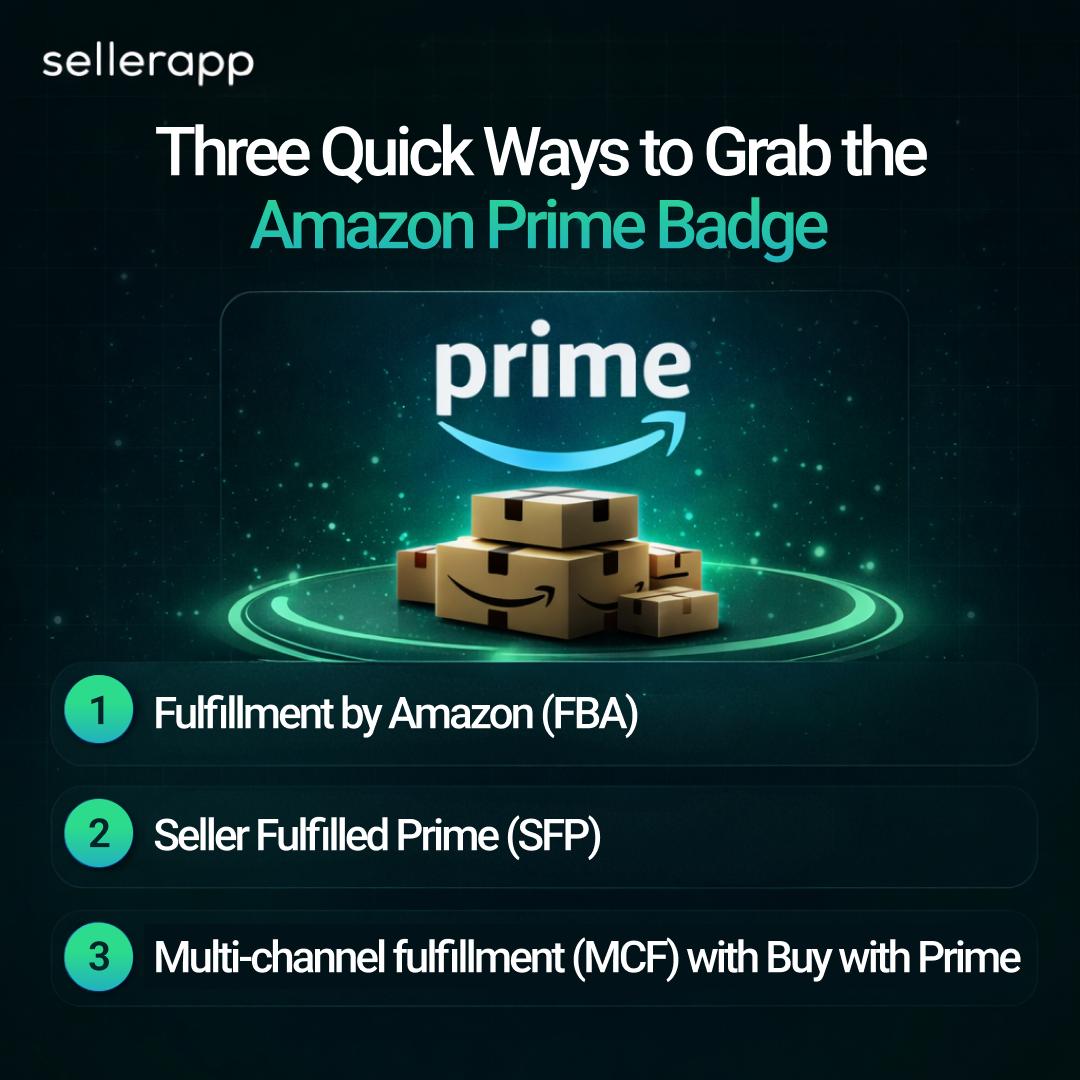
At first, the simplest way to get the Prime badge is through FBA. When you ship your inventory to Amazon’s fulfillment centers, Amazon handles picking, packing, shipping, and customer service. In return, your listings automatically qualify for the Prime badge because Amazon itself is fulfilling the orders.
The Amazon Prime badge shows up on your listing once your inventory is live at a fulfillment center and your listing is active. There’s no separate application, as enrolling in FBA is the step.
What you do need to think through before enrolling is whether FBA’s cost structure works for your product. Storage fees run $0.78 per cubic foot from January through September, jumping to $2.40 per cubic foot from October through December for standard-size products. That Q4 increase catches sellers off guard every year.
For sellers opting for seller-fulfilled prime, Amazon gives a maximum of three trial attempts per calendar year. If you fail the 30-day trial period three times in 2026, you cannot attempt SFP again until 2027.
If you want the Prime badge while fulfilling orders yourself, Seller Fulfilled Prime is your only option. Successfully completing the SFP trial grants you the Prime badge on your listings, just like using Fulfillment by Amazon does.
When you are choosing SFP, remember that the timing is critical. Amazon blocks trial completions during Prime Day in mid-July and from Black Friday through Christmas. Even with perfect performance, you cannot graduate during these periods. Starting a trial on November 1st means your 30-day period ends December 1st, right in the blackout window. This wastes one of your three attempts regardless of your metrics.
Plan your trial for January through early June or August through mid-October to avoid these blackout periods. You’ll need 100 seller-fulfilled packages over the past 90 days, a cancellation rate below 2.5%, a valid tracking rate above 95%, late shipments under 4%, a domestic US shipping address, and a professional selling account. After enrollment, you must maintain at least 100 SFP packages per month distributed consistently, or Amazon will cap your daily orders.
Sellers should know that SFP isn’t separate from the Prime badge. It’s how you earn the badge while self-fulfilling. Without either SFP or FBA, you cannot display the Prime badge on your products.
Here is the tip of the iceberg. Multi-Channel Fulfillment doesn’t get you the Prime badge on Amazon.com because MCF orders don’t come from Amazon’s marketplace. MCF is a logistics service that lets you use Amazon’s warehouses to ship orders from your Shopify store, your own website, eBay, Walmart, or other sales channels.
You send inventory to Amazon warehouses just like FBA, but when customers order from your external channels, Amazon picks, packs, and ships those orders without a Prime badge, since they’re not Amazon.com transactions.
The only connection to Prime branding through MCF is the optional “Buy with Prime” button you can add to your own website. This allows Prime members to check out on your site using their Prime account and receive Prime shipping benefits, displaying Prime branding on your external website rather than on Amazon.
MCF achieves a 97% on-time delivery rate and offers up to 50% discounts on multi-unit orders with unbranded packaging at no additional fee. Starting January 15, 2026, MCF fees increase by an average of $0.30 per unit, representing a 3.5% average increase, with units 1 pound or less seeing no change for standard delivery speed.
Which strategy is right for you to get the Amazon Seller Prime Badge?
| Your Situation | Recommended Path | Why |
|---|---|---|
| Small items (<1 lb), fast sellers (500+ units/mo), 25%+ margins | FBA | Lowest cost per unit, automatic Prime badge, scales effortlessly |
| Large/heavy items (5+ lbs), 150-300 units/mo, existing warehouse | SFP | Fulfillment savings offset operational complexity |
| Customizable products, 200+ units/mo, weekend shipping capability | SFP | FBA impossible; SFP enables Prime eligibility |
| Already on FBA, launching DTC website, 30%+ margins | MCF + Buy with Prime | Leverage existing inventory for new channel |
| Seasonal products, 4-6 month dead storage periods | SFP | Avoid Q4 FBA storage spike and aged inventory fees |
| New seller, under 100 units/mo, testing products | FBA | Simplest path to Prime badge, lowest barrier to entry |
| Products with 15-20% margins, any volume | FBA if <2 lbs, FBM if >5 lbs | SFP operational costs eat thin margins |
To get the Amazon Prime badge, you have to follow separate rules for FBA and SFP. Most sellers skip the crucial preparation steps, which causes delays, failed trials, and, well, let’s just say a lot of wasted time.
Here are the five prerequisites you will need before you think about how to get Prime badge on Amazon FBA:
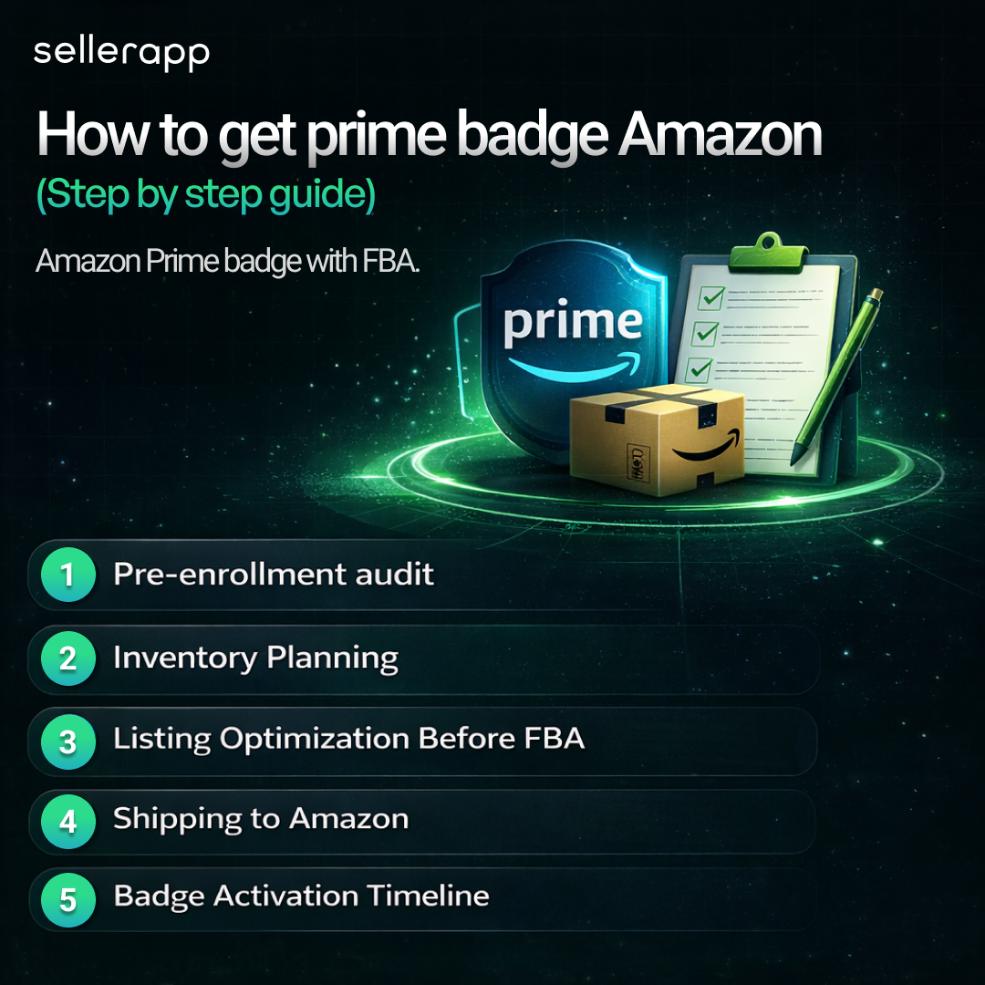
1. Pre-enrollment audit
Before enrolling in FBA, verify you have a professional selling plan at $39.99 per month with no policy violations in your account health and a payment method on file, plus an IPI score above 400 if you’ve been selling long enough for it to appear.
Confirm your products aren’t in categories requiring pre-approval, like supplements, topicals, jewelry, groceries, and toys, which need 2-3 weeks processing time, and check they’re not on the restricted list, including alcohol, tires, and certain hazmat items found under FBA Inventory > Product Restrictions in Seller Central.
Ensure each unit has a scannable barcode, either the manufacturer’s or an FNSKU label you print, with products having expiration dates needing at least 90 days of shelf life upon arrival at Amazon, and fragile items properly protected with poly bags or bubble wrap.
Finally, run your numbers through Amazon’s FBA Revenue Calculator using your selling price, dimensions, weight, and estimated monthly sales to confirm your net margin after all FBA fees is at least 15%, because lower margins mean FBA might actually reduce your profits despite higher conversion rates.
2. Inventory Planning
When you are planning your inventory, send double your projected 30-day sales for your first shipment. This gets Amazon to distribute your inventory across multiple warehouses, which means buyers nationwide will see the Prime badge.
If you send too little (under 100 units for standard items), Amazon keeps it in one warehouse. Buyers far from that warehouse won’t see Prime because delivery would take longer than 2-3 days. Off-peak months (January-March, May-August) take 3-7 days from delivery to “available for sale.”
During peak season (September-December), plan for 7-14 days. Add another 1-2 days if you’re using a prep center.
If this is your first time sending a product to FBA, enroll in the FBA New Selection Program before creating your shipment. You get free storage for the first 120 days on 100 units, no inbound placement fees on the first 100 units, and a 10% sales rebate.
These benefits run through March 31, 2025. New sellers will get enrolled automatically; the existing sellers need to do it manually in the FBA New Selection dashboard.
3. Listing Optimization Before FBA
Fix your listing before you turn on FBA. Once FBA is active, Amazon’s algorithm starts testing your conversion immediately.
What to have ready is a title with your main keywords (under 200 characters), all 5 bullet points filled out with actual benefits, at least 5 good images (a white background main image plus lifestyle and infographic shots), a complete description, and your backend search terms filled in (250 bytes max).
A weak listing here wastes the Prime badge boost. If your listing converts at 5% without Prime, the badge might only bump it to 10-12% instead of the 40-74% you should see.
You can pick the most specific category you can find (not just “Home & Kitchen,” but scroll down to “Kitchen Storage & Organization,” then “Food Storage,” and then “Plastic Containers”). Set up your color/size variations before activating FBA. Add A+ Content if your brand is registered on Amazon, as it lifts conversion by 3-5%.
4. Shipping to Amazon
Follow the steps: confirm your prep requirements, print box labels, and select your carrier.
Remember missing FNSKU labels on individual units, box labels printed at the wrong size (must be 4″ x 6″), barcodes that won’t scan because they’re wrinkled or printed poorly, and using manufacturer barcodes instead of FNSKU (always use FNSKU).
Small Parcel Delivery (SPD) for shipments under 150 pounds per box via UPS/FedEx. Less Than Truckload (LTL) for over 150 pounds total. Full Truckload (FTL) for palletized shipments over 15,000 pounds.
You’ll choose between Amazon Optimized Placement (which automatically spreads your inventory across warehouses). Fees apply, but you get nationwide Prime badge visibility or minimal shipment splits (you send to 1-3 warehouses). Lower fees but limited geographic coverage.
5. Badge Activation Timeline
Your FBA shipment takes roughly 10 days to activate the Amazon Prime badge, though this stretches to 10-14 days during Q4. Amazon receives your shipment in days 1-3, begins scanning boxes in days 4-6 with “Receiving” status visible in Seller Central, then spends days 7-9 checking in individual units and verifying quantities against your shipment plan.
Once your inventory status changes to “Available” around day 10, the Prime badge appears automatically on your listings without any additional action required.
Immediately verify the badge displays on all product pages, confirm you’re winning the Buy Box if your pricing is competitive, monitor your conversion rate daily in business reports for the first week, and use friends in different states or a VPN to confirm nationwide badge visibility.
Be prepared with these prerequisites for Amazon SFP:
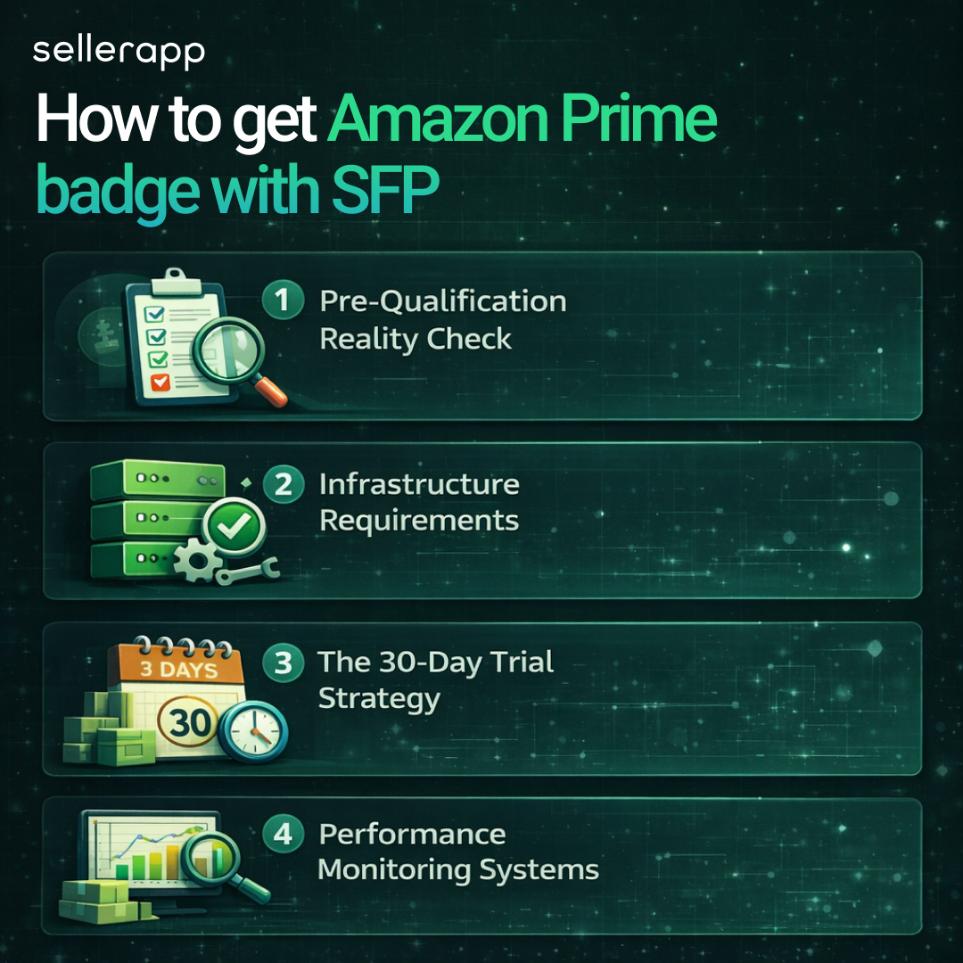
1. Pre-Qualification Reality Check
Before you apply for the SFP trial, make sure you actually qualify. Amazon looks at your performance over the last 90 days.
You will need 100+ seller-fulfilled packages shipped in the past 90 days, a cancellation rate under 2.5%, a valid tracking rate above 95%, a late shipment rate under 4%, a domestic US shipping address, and a professional selling account.
But you have to answer this yourself: can I ship every Saturday and Sunday? Can I get orders out the same day if they come in before 2:00 PM on weekdays or 10:30 AM on weekends? Do I have backup staff for when you’re sick or on vacation?
If you can’t honestly answer yes to all of these, don’t start the trial yet. You only get three attempts per year.
Also, before you apply, spend 60-90 days getting your metrics right. Ship everything same-day to improve your late shipment rate. Use integrated carriers, so you have tracking on every order. Keep accurate inventory counts to avoid cancellations. Set up weekend shipping.
2. Infrastructure Requirements
You will need a service that integrates with Amazon Buy Shipping, such as ShipStation, Stamps.com, Shippo, or Ordoro. These pull your orders from Amazon, print labels, and automatically upload tracking. You can’t do SFP manually.
Find carriers that offer Saturday AND Sunday pickup and delivery, 1-day delivery to major cities (at least 50), 2-day delivery everywhere else, and real-time tracking.
Most SFP sellers use USPS Priority Mail (2-day to most places, Saturday delivery, affordable) plus UPS or FedEx for 1-day metro delivery (costs more but is reliable). Some add regional carriers like OnTrac for the West Coast or LaserShip for the East Coast.
Read more: Does USPS Deliver on Weekends in 2026? Saturday and Sunday Delivery Explained
Turn this on in
It automatically assigns the right shipping speeds based on where the buyer is, protects you if carrier networks fail, and reduces mistakes.
You have to use Amazon Buy Shipping for all SFP orders to get protection if carriers screw up. This means buying labels through Amazon’s system (which uses your carrier rates).
3. The 30-Day Trial Strategy
A week before you start enrollment, enroll only your 10 fastest-moving SKUs. Don’t try to do everything at once. Set conservative daily order limits. Start with 20-30 Prime orders max per day. Test your weekend process with regular orders first. Print a week’s worth of shipping labels ahead of time to make sure everything works.
Don’t start a trial that would end during blackout periods. You can’t graduate even with perfect performance during the 30 days before Prime Day (usually June 15 – July 15) or from November 1 through December 31.
The best times to start are January 15 – May 1 or August 1 – October 1.
During the 30 days, check your SFP Performance Dashboard every single day (Seller Central > Performance > Seller Fulfilled Prime). Watch your on-time delivery rate (needs to stay above 93.5%), tracking upload rate (needs to stay above 99%), cancellation rate (under 2.5%), and late shipment rate (under 4%).
Amazon evaluates you every week from Sunday to Saturday. The first violation gets you a warning email. A second violation ends your trial. You have no room for error.
You’d need 100 Prime orders during the 30 days. Price competitively to win the Buy Box. Run Lightning Deals or coupons. Make sure you’ve enrolled enough SKUs to generate the volume. Spread orders throughout the month. Don’t do 90 in week 1 and 10 the rest of the time.
If your week 2 metrics look bad, immediately disable slow-shipping products from your Prime template. Lower your daily order cap. Figure out what’s causing late shipments. Consider quitting the trial and trying again after you fix the problem. A failed trial still counts against your 3 annual attempts.
4. Performance Monitoring Systems
Every morning before you start shipping, check the SFP Performance Dashboard for warnings. Review which orders need to ship today. Verify your carrier pickup is scheduled. Check that yesterday’s tracking was uploaded.
Turn on email alerts in Seller Central for performance metric warnings, when your daily Prime order volume gets close to your cap, and when inventory runs low on Prime-enabled products.
Every Monday, you need to review the previous week. Ask yourself:
Write this stuff down. If you need to appeal a performance issue, detailed records help your case.
If you’re enrolled in SFP, the work doesn’t stop. You still need 100+ Prime shipments every month (spread throughout the month, not all at once) and the same performance metrics as the trial, and you’re still evaluated weekly. Three violations get you kicked out.
Set a calendar reminder for the 25th of every month to check if you’ve hit 100 Prime orders. If not, run a promotion to get there before the month-end.
The Amazon Prime badge system is evolving beyond just fast shipping. Here’s what’s changing and how to prepare.
Amazon is integrating sustainability into badge qualification. Products with Climate Pledge Friendly certification see a 12-14% sales lift in their first year. By late 2025, Amazon began using AI and computer vision to verify sustainability claims automatically.
What this means for Prime sellers is that sustainability won’t replace Prime, but it’ll become an additional ranking and visibility factor. Products that combine Prime eligibility with Climate Pledge Friendly certification will get preferential treatment in search results.
To prepare yourself, check if your products qualify for Climate Pledge Friendly. The requirements include 50%+ recycled content, recognized sustainability certifications (like Cradle to Cradle, ENERGY STAR, and Fair Trade), or Amazon’s Compact by Design initiative (smaller packaging that reduces shipping waste).
The certification is free and automatic if your product qualifies. Contact the relevant certification body (e.g., Fair Trade or FSC) to get certified, and Amazon will add the badge automatically.
Amazon is expanding beyond traditional metrics like ODR (Order Defect Rate) to AI-analyzed customer satisfaction signals. This includes analyzing review sentiment, return reasons, customer service contacts, and Q&A sentiment.
Products with consistently poor sentiment in reviews or high “not as described” return rates may lose Prime eligibility even if ODR stays under 1%. Amazon’s AI reads between the lines. If 40% of your reviews mention “cheaply made” or “broke after one week,” that signals quality issues regardless of your star rating.
You can start preparing by monitoring review sentiment, not just star ratings. Look for recurring complaints. If customers consistently mention a specific issue (packaging damage, sizing problems, misleading descriptions), fix it proactively before Amazon’s AI flags your listing.
The Amazon Prime badge remains the single most powerful conversion tool on the platform. If you’re selling products under 2 pounds with decent margins and moving at least 200-300 units monthly, FBA is probably your best path. The operational simplicity alone is worth it.
If you’re selling heavier items, have a strong fulfillment infrastructure, and can commit to weekend operations, SFP can save you significant money on fulfillment fees while still getting the badge.
If you’re already on FBA and launching your own website, MCF with Buy with Prime lets you leverage the same inventory across channels.
Tools like SellerApp can help you track the metrics that matter most, like conversion rates, keyword rankings, competitor Prime badge status, and profitability calculations across your catalog.
Being able to see which of your Prime-enabled products are actually delivering ROI versus which ones are just burning storage fees makes the difference between profitable scaling and expensive mistakes.
That’s how you turn the Amazon Prime badge into the $50,000-$100,000+ annual revenue increase it’s capable of generating.