
Honestly, the pros and cons of Shopify matter more than most sellers think when they are getting started. Are you one of them? Shopify runs millions of online stores, but most of these stores do not look alike.
Because some are solo founders launching their first product, others are a small team pushing paid ads, and some are creators turning an audience into a brand. Shopify gives a platform to all of them but not in the same way.
It feels easy when you are setting up in the beginning. You can launch fast, accept payments without any extra stress, and start running ads within a few days. For many sellers, this stress-free early approach is exactly what they want. But as soon as the sales pick up and traffic costs rise up, the gaps finally show up.
For direct-to-customer (DTC) brands that are driven by ads, like Gymshark, Shopify often becomes a rescue for them, as it helps the brands to scale with flexible speed, reliability, and a massive platform to operate from. For content-first brands like Beardbrand and SEO-led businesses trying to build a highly differentiated buying experience, Shopify can start to feel overwhelming. The store still runs, but it runs with layers of apps, rising costs, and limits that weren’t obvious on day one.
This article isn’t about Shopify being good or bad. It’s about how you get traffic, how tight your margins are, and how much control you’ll need six or twelve months from now.
This guide breaks down the real pros and cons of Shopify as they show up in everyday selling ads, analytics, costs, and operational trade-offs so you can decide with open eyes whether Shopify will grow with you or slowly box you in.
Quick Guide:
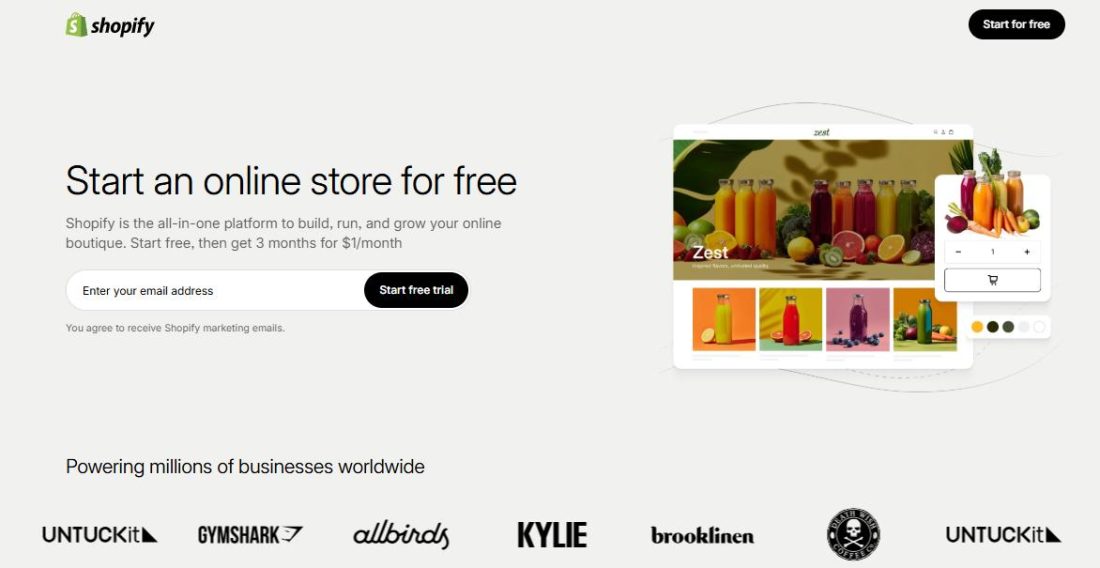
Now, when we discuss the pros and cons of Shopify, understand that Shopify powers everything from solo founders selling one product to mid-market brands running eight-figure businesses.
Hosting, checkout, payments, inventory, multi-channel selling, analytics, and advertising integrations all live under one roof, and the app is what stitches it together.
This platform is also where the pros and cons of selling on Shopify collide.
Unlike online marketplaces like Amazon, Shopify gives sellers control over pricing, branding, and customer relationships. That’s why so many brands move to Shopify once they want to own their audience instead of renting it.
But that control comes with responsibility: you build your business, and the apps you choose directly shape your margins, speed, and scalability.
If you are asking yourself these questions:
Then the following section answers it for you.
Solo founders and micro-brands
They usually experience Shopify’s app as a shortcut, as they don’t have to hire developers and custom infrastructure. Instead of hiring developers, they install apps for reviews, email flows, upsells, subscriptions, and analytics. The benefits are obvious. They can launch fast and test ideas without deep technical knowledge. The downside shows up later, when monthly app fees quietly rival the cost of inventory or ads.
Growing small businesses
These sellers often lean hardest on the platform. As sales increase, apps become operational, handling shipping rules, bundles, loyalty programs, CRO tools, and ad tracking. At this stage, apps decide how the business runs. The risk is app overlap, performance drag, and paying for tools that solve problems the business has already outgrown.
Mid-market and enterprise brands
Sellers using Shopify Plus experience the platform differently. Apps become integrations rather than shortcuts. These sellers are less concerned about monthly app fees and more focused on data flow, stability, and scale. They care about whether apps break during traffic spikes, interfere with checkout, or distort attribution across paid channels.
Mobile-first sellers
This arguably means most Shopify sellers today feel the impact of apps most acutely. Since the majority of Shopify traffic comes from mobile, every extra script, pop-up, or widget directly affects load speed and conversion. An app that looks harmless on a desktop can quietly kill mobile performance.
The pros and cons of Shopify matter far more than most sellers realize.
For some sellers, it becomes the backbone of a scalable, profitable brand, providing control over customer data, streamlined operations, and multi-channel growth opportunities. For others, hidden costs, app complexity, or ad dependency can make it limiting as the business grows.
This section delves into the real pros and cons of Shopify, focusing on practical implications for sellers, strategic business considerations, and actionable takeaways to help you determine whether it’s the right platform for your store.
When you start your store at Shopify, the speed is not just about launching products quickly because Shopify is fundamentally changing how brands go to market. This happens because it is taking limited time to set up your store, which allows you to test the distribution before.
So, instead of spending months building infrastructure, sellers can validate whether the traffic is actually helping in conversions. In practice, this indicates that sellers can run small paid traffic tests early, observe real conversion data, and refine positioning before scaling spending.
Many Shopify sellers on Reddit describe their first store on Shopify not as a launch but as an experiment, which tells them whether the idea deserves more capital. That early indicator reduces the risk of overbuilding and helps sellers kill weak ideas quickly while doubling down on winners.
Shopify’s native tools do more than simplify operations. They protect marfins during growth. Automated abandoned cart recovery, inventory syncing, discount logic, and subscription handling remove manual work that often becomes error-prone under pressure.
And the real advantage comes during scale. When traffic spikes from ads or promotions, operational friction becomes expensive. Missed stock updates lead to refunds, broken discount rules lead to margin leakage, and delayed fulfillment damages trust. Sellers who understand Shopify’s built-in tooling serve as defensive infrastructure. Use it to stabilize revenue while pushing growth aggressively.
For early- and mid-market sellers, Shopify’s massive app ecosystem works accordingly for capital efficiency. Rather than hiring developers to create upsells, subscriptions, or CRO tools, sellers can deploy proven solutions in days and measure impact immediately.
Sellers can test AOV tools, loyalty programs, or ad tracking layers with low commitment and scale only what works. Experienced operators warn about app sprawl for a reason: once apps stop being experiments and start becoming permanent dependencies, costs rise and speed drops.
Shopify centralizes multi-channel selling, giving brands control over inventory, pricing, and fulfillment across their website, social platforms, and marketplaces. Managing orders and stock in a single dashboard eliminates errors and ensures consistent branding, while real-time analytics allow sellers to identify which channels deliver the highest return on ad spend.
This centralization enables sophisticated strategies, such as testing different pricing or product bundles across channels, which is particularly valuable for omnichannel or high-growth DTC brands.
Shopify’s centralized multi-channel setup is less about convenience and more about risk management. Relying on a single traffic source, whether Meta ads, TikTok, or organic search, is fragile. Shopify allows sellers to distribute inventory, pricing, and fulfillment across channels without fragmenting operations.
This enables controlled experimentation: testing new channels without breaking the core business. Sellers can launch TikTok Shop, Instagram Checkout, or marketplace integrations while still owning the primary customer relationship. Over time, this flexibility reduces dependency on any one algorithm or platform shift, which is critical for sustainable growth.
Perhaps most importantly, Shopify gives sellers full control over their customer relationships. Sellers own the data, including emails, purchase histories, and behavioral analytics, which enables precise ad targeting, retargeting campaigns, and personalized messaging.
Unlike marketplaces, where the platform controls traffic and customer access, Shopify allows marketers to test creative, optimize funnels, and track lifetime value. Reddit sellers often cite this as a hidden advantage: their growth is directly tied to strategy and execution, not to someone else’s algorithm.
Shopify provides merchants with significant control over pricing, promotions, fulfillment logic, and the checkout experience, all within platform constraints. This freedom enables experimentation with complex discount structures, subscription models, and upsell flows that marketplaces typically do not allow.
Brands that leverage this control can optimize average order value, lifetime customer value, and conversion rates, gaining strategic leverage as they scale. In short, Shopify empowers sellers not just to operate a store but to build a scalable, optimized, and fully owned business.
Cons of Shopify:
The Shopify pricing may not hurt on day one. The sellers who are just beginning feel comfortable with the base plan. The pressure slowly builds when the business starts scaling. The nice-to-have features convert to the must-haves. Premium themes, CRO tools, subscriptions, reviews, analytics, and upsells can push monthly software costs into the hundreds or thousands before revenue stabilizes.
And this affects the growing brands that are scaling ads aggressively.
For DTC brands that are driven by ads, this compounds quickly. Platform fees increase when you are already handling rising customer acquisition costs and directly compressing margins.
The seller-level risk isn’t Shopify itself; it’s losing visibility into the true contribution margin. The most common workaround is discipline: consolidating apps, prioritizing tools tied to revenue, and using Shopify Payments to avoid extra transaction fees. But even with optimization, Shopify rewards brands that price products with software and ad costs baked in from the start.
Shopify’s flexibility comes from apps, but it can turn into fragility. When you are growing on a Shopify store, after a certain point, the app becomes an operational dependency. Sellers often realize too late that multiple apps are handling overlapping logic, like discounts, analytics, popups, subscriptions, and emails, all touching checkout in different ways.
At scale, this affects more than cost. Page speed slows, checkout errors become harder to debug, and billing across tools becomes fragmented. Many experienced sellers describe app sprawl as a hidden tax on growth, not because apps are bad, but because unmanaged stacks reduce speed and clarity.
The solution is to stack control, like periodic app audits, removing redundancies, and favoring multi-function tools over single-purpose ones. Advanced sellers also move critical logic (pricing, inventory, and reporting) closer to native Shopify features where possible.
Shopify themes are polished, but they enforce structure. For early sellers, this is a benefit; it prevents overplanning. For brands trying to differentiate at scale, it becomes a limitation. Advanced checkout flows, custom bundling logic, or unique UX often require Liquid expertise or developers.
This hits hardest when brands want to optimize conversion beyond templates. Sellers experimenting with complex funnels, subscriptions, or tailored upsells often discover that Shopify allows variation, not full freedom. Shopify Plus improves checkout control, but it also raises costs.
The workaround is clarity: deciding early whether your brand competes on offer and distribution or experience and differentiation. Shopify excels at the former. Brands chasing the latter often adopt headless setups or accept higher development overhead.
4. Content Marketing and SEO Constraints
Shopify’s content tools work, but they’re not built for content-led growth. Early-stage sellers may not notice this at all. The issue emerges once SEO becomes a primary acquisition channel. Blogging features are basic, URL control is limited, and advanced editorial workflows are awkward compared to content-native platforms.
For brands relying on education, comparison content, or long-form storytelling, Shopify can feel like a commerce engine with content bolted on. The store runs, but content teams often work around limitations using page builders, external CMS tools, or headless blogs.
The workaround is a hybrid architecture: Shopify for commerce, external platforms for content. This adds complexity but preserves SEO flexibility. The key trade-off is that coordination of content and commerce must be tightly aligned to avoid fragmented analytics and attribution.
Shopify is easy to enter and hard to leave. Early sellers don’t worry about this and shouldn’t. The concern arises at scale, when workflows, apps, subscriptions, and analytics are deeply embedded. Migrating away means rebuilding more than a store; it means rethinking operations.
This lock-in isn’t inherently negative. For many brands, staying on Shopify long-term is the right decision. The risk is committing without understanding future constraints. Sellers should think of Shopify as a long-term operating system, not a temporary launchpad.
The workaround is intentional architecture: clean data practices, minimal reliance on brittle apps, and documenting core workflows. Brands that do this retain optionality even if they never leave.
Who Is Shopify Really Best For?
Not every seller benefits equally from Shopify. Understanding which business models thrive or struggle on the platform is critical before committing.
Shopify is often an ideal choice. Its intuitive dashboard, guided setup, and low technical barriers allow new sellers to launch quickly, test product ideas, and start generating revenue without a developer.
The operational simplicity and built-in tools mean founders can focus on marketing, customer acquisition, and validation rather than infrastructure. For this type of seller, the pros of speed, simplicity, and multi-channel capability clearly outweigh the cons, making Shopify a smart, low-risk entry point.
Sellers building a content-driven brand, however, may find Shopify less accommodating. While the platform handles products and checkout elegantly, its blogging tools and SEO capabilities are limited compared to specialized content platforms like WordPress.
For brands relying heavily on content marketing to attract organic traffic and nurture an audience, these limitations can impede growth. In this case, Shopify may work, but the SEO and content constraints require workarounds or additional investment, so it’s not the strongest fit for content-first strategies.
For these sellers, Shopify presents a mixed picture. While it can scale through Shopify Plus, costs from subscriptions, apps, and transaction fees grow with revenue, and app dependency can create operational overhead.
Sellers managing hundreds of orders per day may need careful planning to avoid bottlenecks or margin erosion. Shopify can work for high-volume operations, but it requires strategic cost management and operational discipline, making it a “maybe” depending on the seller’s infrastructure and growth plans.
Finally, brands that want a unique user experience or highly customized checkout flows may find Shopify limiting. Themes provide a polished look, but deep customization often requires hiring developers or learning Liquid.
For sellers prioritizing differentiation through UX, complex checkout logic, or highly branded storefronts, Shopify’s constraints on customization can stifle growth. For this type of seller, the cons often outweigh the benefits, and alternative platforms with more flexibility may be a better fit.
In short, Shopify is not universally perfect. Its advantages shine for solo founders and straightforward DTC businesses, while its limitations become more pronounced for content-heavy brands, high-volume operations, or those seeking deep customization. Understanding these trade-offs ensures sellers align platform choice with long-term business strategy.
| Seller Type | Good Fit? | Why |
|---|---|---|
| First-time solo founder | Yes | Quick launch, low development barriers, built-in tools, and multi-channel capabilities. |
| Content-driven brand | Little | Blogging and SEO limitations make content marketing and organic growth harder. |
| High-volume seller | Maybe | Subscription and app costs grow rapidly; operational complexity increases. |
| Brand with a unique UX | No | Checkout and custom design limits restrict highly branded or differentiated experiences. |
Here are three hidden truths that Shopify does not warn about, but sellers realize this eventually.
Shopify advertises 24/7 support, but in practice, it varies depending on your plan and the complexity of your issue. For issues like product uploads or payment setup, support is usually fast and effective.
But when it comes to advanced requests like troubleshooting app conflicts or resolving abandoned cart integration issues, the response time from Shopify can stretch into hours or even days, especially if you have the standard plan.
A small DTC seller running a holiday promotion shared his experience on Reddit, stating that he reported that a checkout error blocked over 50 orders on two peak days and Shopify support required escalation to a specialist team.
Sellers would understand that this situation can impact the revenue because relying on fast issue resolution during high-stakes periods requires planning backup solutions, whether that’s a developer on call, contingency workflows, or testing changes well in advance of peak traffic.
Shopify’s vast app ecosystem is one of its biggest advantages, but it comes with hidden operational costs. Every additional app, whether for upsells, analytics, reviews, or loyalty programs, adds JavaScript and CSS that can slow page load times.
This matters: research shows that a one-second delay in page speed can reduce conversions by 7%–10%, and mobile users are susceptible to lag.
For instance, a mid-sized Shopify store running eight marketing apps noticed a drop in mobile checkout conversions from 3.4% to 2.7% after adding a new subscription app.
From a business standpoint, app selection must be strategic, balancing functionality against performance, conversion rates, and SEO impact. Many top-performing stores audit their apps quarterly, removing redundant ones to maintain speed and profitability.
Shopify is generally reliable, but outages do happen, and their impact can be costly. For example, during a flash sale on Black Friday, one popular Shopify store experienced a 3-hour downtime, resulting in over $20,000 in lost revenue.
Unlike self-hosted platforms, where merchants can implement redundancy or rollback systems, Shopify sellers are dependent on the platform’s uptime and maintenance schedule.
This introduces a real operational risk: high-volume or time-sensitive sellers need contingency plans such as buffered ad spend, alternative communication with customers, or pre-planned discount extensions to mitigate revenue loss during outages.
This reality underscores that platform dependency is not merely a technical concern; it has a direct impact on your revenue, customer trust, and operational flexibility.
Look, Shopify isn’t going to magically run your business for you. But if you know how to work with the pros and cons of Shopify, you can build something real. Here’s how you can do it.
Most new sellers waste money on the $79 Shopify plan when the $39 Basic plan does everything they need. You don’t need advanced reports when you’re doing $5,000 a month. Upgrade when you’re actually limited by features, not because it sounds more professional.
Shopify Payments seems like the obvious choice, and for most sellers, honestly, it is. You avoid the extra transaction fees (0.5-2% depending on your plan), and the money flow is simpler. But here’s the catch: Shopify can hold your funds if they think something’s fishy. It happens more than they admit, especially around Black Friday or if you suddenly do 10x your normal sales.
It’s always good to have a backup.
Set up PayPal or Stripe as an alternative. Yeah, you’ll pay those transaction fees, but when Shopify locks your account for “review,” and you’ve got $20,000 in limbo, you’ll be glad customers have another way to pay you.
You picked a theme. Great. Now customize it for your actual business, not what the demo store sells. Most sellers just swap logos and colors and wonder why nothing converts. The sections you can drag and drop are there for a reason.
Your homepage shouldn’t look like everyone else’s. If you’re selling custom furniture, you need different trust signals than someone dropshipping phone cases. Add customer photos. Put your story upfront. Show the thing that makes you different in the first screen someone sees.
The Shopify App Store will solve almost any problem you have. It will also drain $300/month from your account if you’re not careful.
Start with the free basics: Google Channel for getting your products on Google, a reviews app (Judge.me and Loox both have solid free tiers), and maybe email marketing
(Klaviyo if you’re serious, Shopify Email if you’re just starting).
Before installing any paid app, ask yourself, “Am I willing to pay this every single month?” Not just now, but when you’re slow in February and wondering where all your money went. Most apps have free trials. Actually use the trial. Set a calendar reminder for the day before it ends.
Shopify’s pricing is just the beginning. Factor in:
Do the math on what you need to make to break even. If your profit margin is thin and you’re paying $150/month in fixed costs, you need to clear at least $500-600 in sales just to not lose money.
Shopify Email gives you 10,000 free emails per month. Shopify Analytics shows you what’s selling and where traffic comes from. The built-in discount codes work fine. The blog feature is sitting right there. You don’t need fancy software when you’re starting; you need customers and sales.
Customers expect fast, cheap shipping because Amazon ruined us all. You have a few plays:
Set up Shopify Shipping to get USPS and UPS discounts (they’re already built in; you just activate them). For most small items, USPS Priority Mail will be your workhorse. It’s fast enough (2-3 days) and way cheaper than UPS or FedEx for lightweight stuff.
Either offer free shipping and build the cost into your prices, or be upfront about shipping costs at checkout. The worst thing you can do is surprise someone with $15 shipping on a $30 item; you’ll lose the sale.
Shopify hands you analytics that most small businesses would pay thousands for. Check it weekly:
This sounds backward, but having a growth plan will save you. What happens when you get a viral TikTok and suddenly have 200 orders? Do you have enough inventory? Can you fulfill that fast? Is your email setup ready to handle customer questions?
Most Shopify sellers treat ads like throwing money at a wall and analytics like homework they’ll get to later. Both approaches will bleed you dry. Here’s how to actually use these tools to grow.
Every platform wants your ad dollars. Facebook, Instagram, Google, and TikTok, they all make it look easy. “Just boost this post!” Yeah, and watch your money disappear with nothing to show for it.

For most U.S. Shopify sellers, Meta is still the most reliable starting point. Not because it’s easy, but because the targeting actually works and you can start with a reasonable budget.
Install the Meta Pixel on your Shopify store first (it’s a free app). This tracks what people do on your site so you can retarget them later. Seriously, do this before you spend a single dollar on ads. Retargeting people who already visited your site is 10x cheaper than finding cold traffic.
Start with $10-20 per day, not $100. Test one product, one audience, and one ad. When you find something that works, meaning you’re making more money than you’re spending, then you scale up. Most beginners blow their entire budget testing five different things at once and learn nothing.
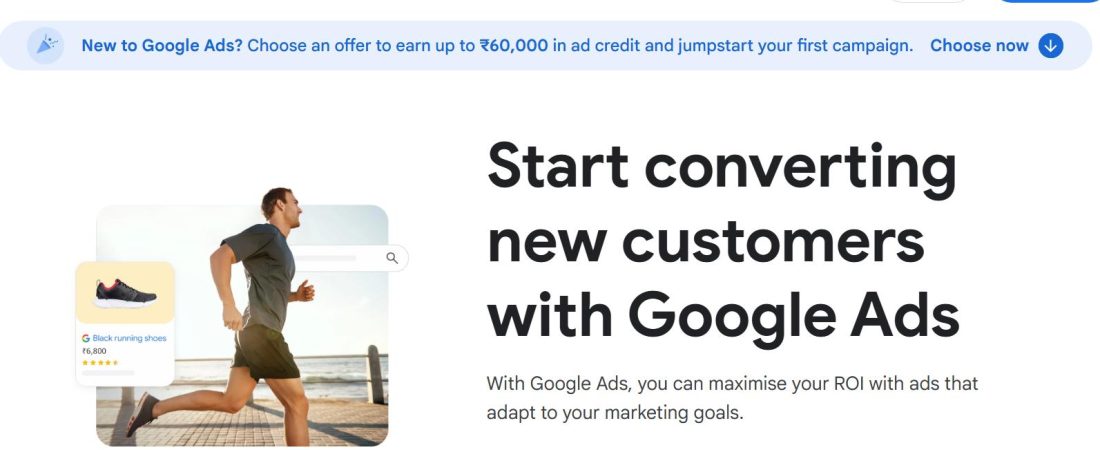
Google Shopping ads work great if people are already searching for what you sell. If you’re selling “organic dog treats” or “minimalist wallets,” Google’s your friend. If you’re selling something people don’t know they need yet, Facebook/Instagram works better.
The Google & YouTube app from Shopify makes setup easier. Link your products, set a daily budget (again, start low), and let Google Smart Shopping do the heavy lifting at first. You can get fancy with keywords later.

The platform skews younger (though that’s changing), and organic content still outperforms paid ads there. If you’re going to spend money on TikTok, spend time making actual content first. See what resonates, then boost what’s already working.
Never run ads until you know your numbers. What’s your profit margin after product cost, shipping, and Shopify fees? If you’re making $15 profit per sale, you can’t spend $20 on ads to get that sale. Sounds obvious, but sellers do this every day.
Shopify’s built-in analytics are solid, but most people look at vanity metrics that don’t mean anything. Here’s what to actually watch:
This is the percentage of visitors who buy something. For Shopify stores, 1-3% is normal. Under 1% means something’s broken. It can be bad product photos, confusing checkout, prices that don’t match expectations, or you driving the wrong traffic.
Find this:
Analytics → Reports → Conversion over time
If your rate sucks, fix your store before spending more on ads. More traffic to a broken store just wastes money.
How much does a typical customer spend? If your AOV is $45 and you’re spending $15 on ads per customer, you’ve got room to work with. If your AOV is $25, those same ads are killing you.
Ways to increase AOV: Bundle products, offer volume discounts, add a “frequently bought together” section, and set a free shipping threshold just above your current AOV.
Customer acquisition cost (CAC)
This is what you spend on ads divided by how many customers you get. If you spend $300 on Facebook ads and get 20 orders, your CAC is $15.
Your CAC needs to be significantly lower than your profit per order, or you’re running a charity. As a rule of thumb, try to keep CAC under 30% of your average order value.
Where are people finding you?
Analytics → Reports → Sessions by traffic source
If 80% of your sales come from Instagram but you’re spending all your time on Pinterest, you’re doing it wrong. Double down on what’s working.
This tells you if people buy from you once and disappear or if they come back. Shopify Analytics shows this under “Returning customer rate.”
If it’s under 10%, you’re burning money acquiring customers who never return. Fix your product or your experience, or start email marketing to bring people back. Selling to existing customers is way cheaper than finding new ones.
You can understand the real pros and cons of Shopify when you have overcome the product launch period. Shopify might feel easy at first because you can quickly launch, run ads, and start generating revenue.
But as the traffic increases, Shopify reflects your decisions back at you.
Shopify works best for sellers who value speed, operational simplicity, and control over their customer journey, especially DTC brands driven by paid acquisition. It rewards founders who treat apps like cost centers, performance like a revenue lever, and checkout like a conversion asset.
For content-heavy brands or businesses chasing highly customized UX, the platform can still work but only with intentional workarounds and added investment.
This is where most sellers get stuck. Not because Shopify can’t scale, but because they’re making decisions without knowing what’s actually driving revenue, ROAS, or profit.
But wait, did you not know that we are here to help you?
SellerApp helps you by connecting sales performance, advertising data, keyword demand, and operational insights into one system. Instead of guessing which products to push, which ads to scale, or which campaigns are quietly burning cash, sellers can act with confidence.
Shopify runs your store, and SellerApp gives you the dashboard that tells you when to accelerate, when to optimize, and when to hit the brakes.