Does the demand hold up?
Review historical product performance to spot changes that a single snapshot can miss.
Insulated Water Bottle, 750 mlEst. orders per day
Illustrative · monthly average · Amazon.com
Explore product ideas, assess demand and competition, and track your shortlist before investing in inventory.

Illustrative workflow
A short spike can look like demand that won’t last.
Fees, sourcing, shipping and advertising all come out of the price.
Similar listings compete for the same shoppers and searches.
Look beyond one metric before committing to inventory.
Narrow the search to products that fit your market and business goals.
Review estimated demand, price, fees, and product trends before shortlisting.
Track shortlisted products to see how their performance changes over time.
Insulated Water Bottle, 750 mlUS$24.991,8401.2kEstimated figures are ranges, not reported sales.
Est. orders per day, weekly · Amazon.com
Use Opportunity Score to prioritize further research, then inspect the underlying product data.
A research signal, not a guarantee of sales or profit.

Dashboard capture · a beauty product on Amazon.in
Then check the evidence behind it
Review historical product performance to spot changes that a single snapshot can miss.
Illustrative · monthly average · Amazon.com
Review Amazon fees, then factor in sourcing, shipping, advertising, and other costs.
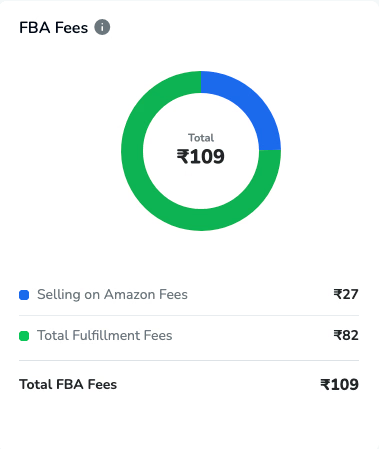
Dashboard capture · a beauty product on Amazon.in. Fees alone don’t show profit.
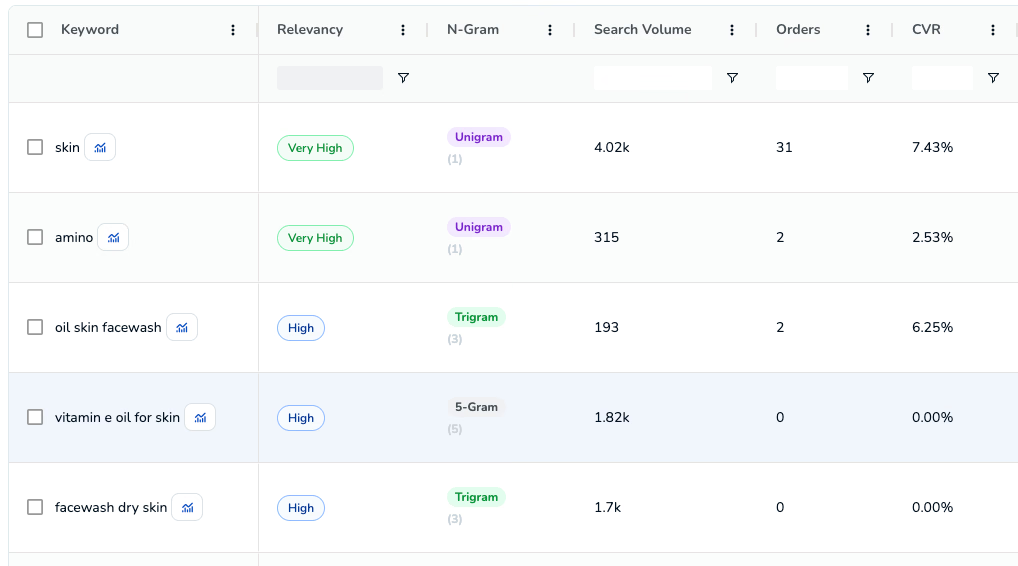
See which search terms relate to the product, with relevancy and search volume. Keyword Research
Dashboard capture · Amazon.in
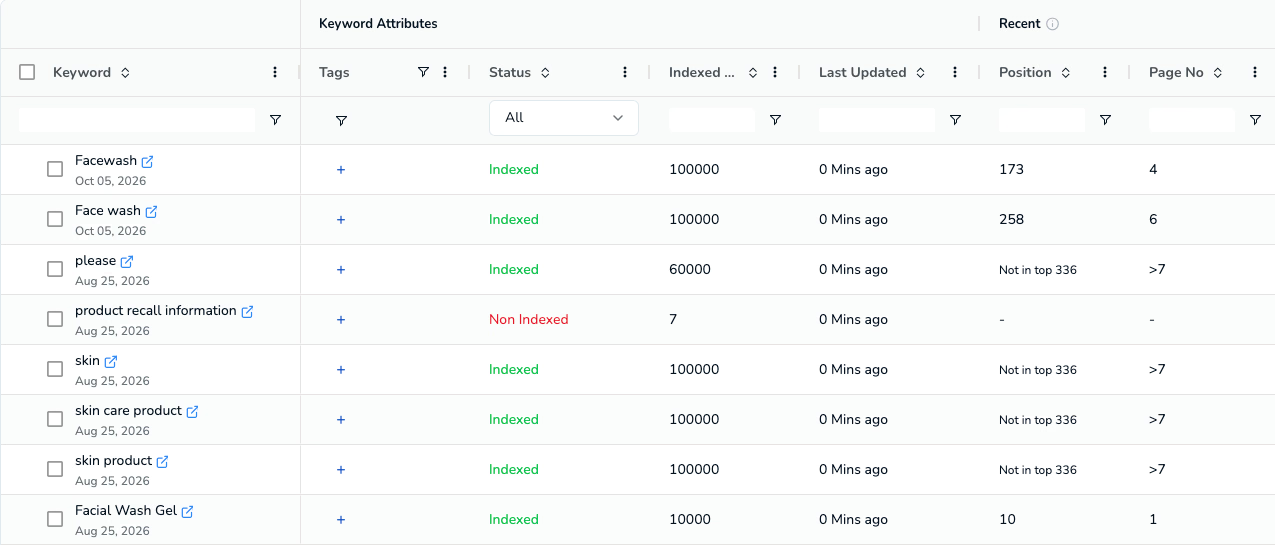
Follow tracked keyword positions. “Not in top 336” means outside the tracked results, not zero visibility. Keyword Tracker
Dashboard capture · Amazon.com
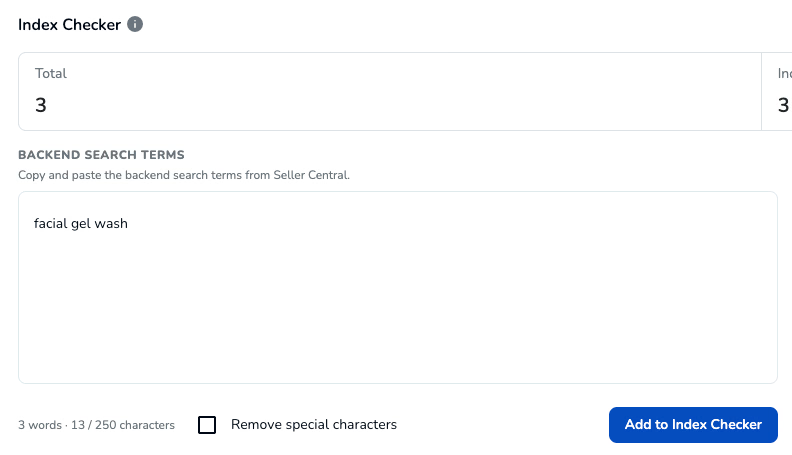
Check whether Amazon indexes your backend terms. Indexed doesn’t mean ranking well. Index Checker
Dashboard capture · Amazon.com
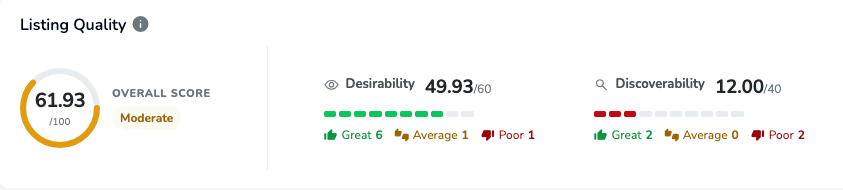
See where a listing is strong and where it falls short of its category. Listing Quality
Dashboard capture · Amazon.in
Each view is a separate capability. Availability depends on your plan.
Evaluate each marketplace on its own demand, pricing, and competitive conditions.
Open Product Research in the SellerApp dashboard, choose a marketplace and start with a seed keyword. Narrow the results with filters to find products in a category that fit your goals.
Opportunity Score gives a quick view of a product’s opportunities and challenges, so you can decide which candidates to research further. It isn’t a prediction of sales or profit. Review the product’s estimates, fees and trends before deciding.
Yes. Orders and revenue are estimates, shown as ranges and labelled “Est.”. They aren’t reported sales, and revenue isn’t profit.
Yes. Add products to Product Tracking to follow how their performance changes over time.
Yes. Save your filter combinations as presets, and export search results to a CSV file.
Product Research covers Amazon marketplaces worldwide. Each search runs for the marketplace you select, and results apply only to that marketplace. Contact us to confirm a specific marketplace.
You need a SellerApp account. Feature availability and limits depend on your plan; see Pricing or talk to our team.
Find candidates, review the evidence, and build your shortlist with SellerApp.